
Log A Completion, And Fill In A Day You Missed
By Sebastian Röhl, creator of HabitKit
5 min read Published Updated Instructions for HabitKit 1.18.0
To log today, tap the completion indicator on the habit's overview card. For Yes / No tracking, that marks the day done; tapping again unticks it.
For a day you forgot, open the habit's detail page and use its month calendar. You can correct past entries without changing today's progress.
On this page
Logging Today
The completion indicator is the ring on the right of each overview card. Its behaviour depends on Tracking and, for numeric habits, On Tap:
- Yes / No: tap to toggle the day between done and not done.
- Count and Measure: choose Add 1 under On Tap to increase progress below the goal, or Enter total to open the number sheet with every tap. Measure also lets you record decimal amounts in a chosen unit.
For numeric habits, tapping at or beyond the goal opens the number sheet to adjust the amount. Press and hold the indicator to open it directly, even with a goal of one. See set a daily goal and track multiple completions a day for the full controls.
Count goals from two to fifteen use separate ring segments. Larger goals and fractional goals use a continuous progress arc.
You can also log through a home screen widget, an Android reminder action, or Siri and iOS Shortcuts.
For a habit you are quitting, a positive entry records the behaviour you are trying to avoid. Clean days start automatically. Count and Measure can track an amount below a Stay Below. Read track a habit you want to quit before interpreting those tiles as completions.
Backfill A Day You Missed
- Open the habit from the overview.
- Scroll to the month calendar beneath the grid.
- Use the chevrons to move to an earlier month.
- Tap the day to log it, or press and hold it to open the day editor and adjust its amount or note.
The calendar goes back to January 2000 and stops at the current month. Future days cannot be logged. Some history preserved when switching from Quit to Build is read-only; the quit-habit article explains those choices.
Calendar indicators give you more detail:
- A tinted cell on a build habit means some progress was logged. It does not necessarily mean the daily goal was reached.
- Small Count goals show dots for the amount, up to five.
- Count goals above five and Measure habits show an amount with a progress underline. A smaller Count goal also switches to a number when the recorded amount exceeds five.
- Three short lines in a day's corner indicate a note, when Notes is enabled.
In Compact view, the recent-day squares beside each habit are tappable too. The free view shows five days; Pro lets you choose one to seven.
If an entry is unexpectedly empty, check a day you completed looks empty or missing before adding it again.
Add A Note To A Day
Notes are enabled by default at Settings › General › Notes. Turning them off hides the note fields, markers and lists; it does not delete existing notes.
To add or edit one, press and hold a day in the detail calendar, choose Add note from the habit's context menu, or tap the note button in the number sheet.
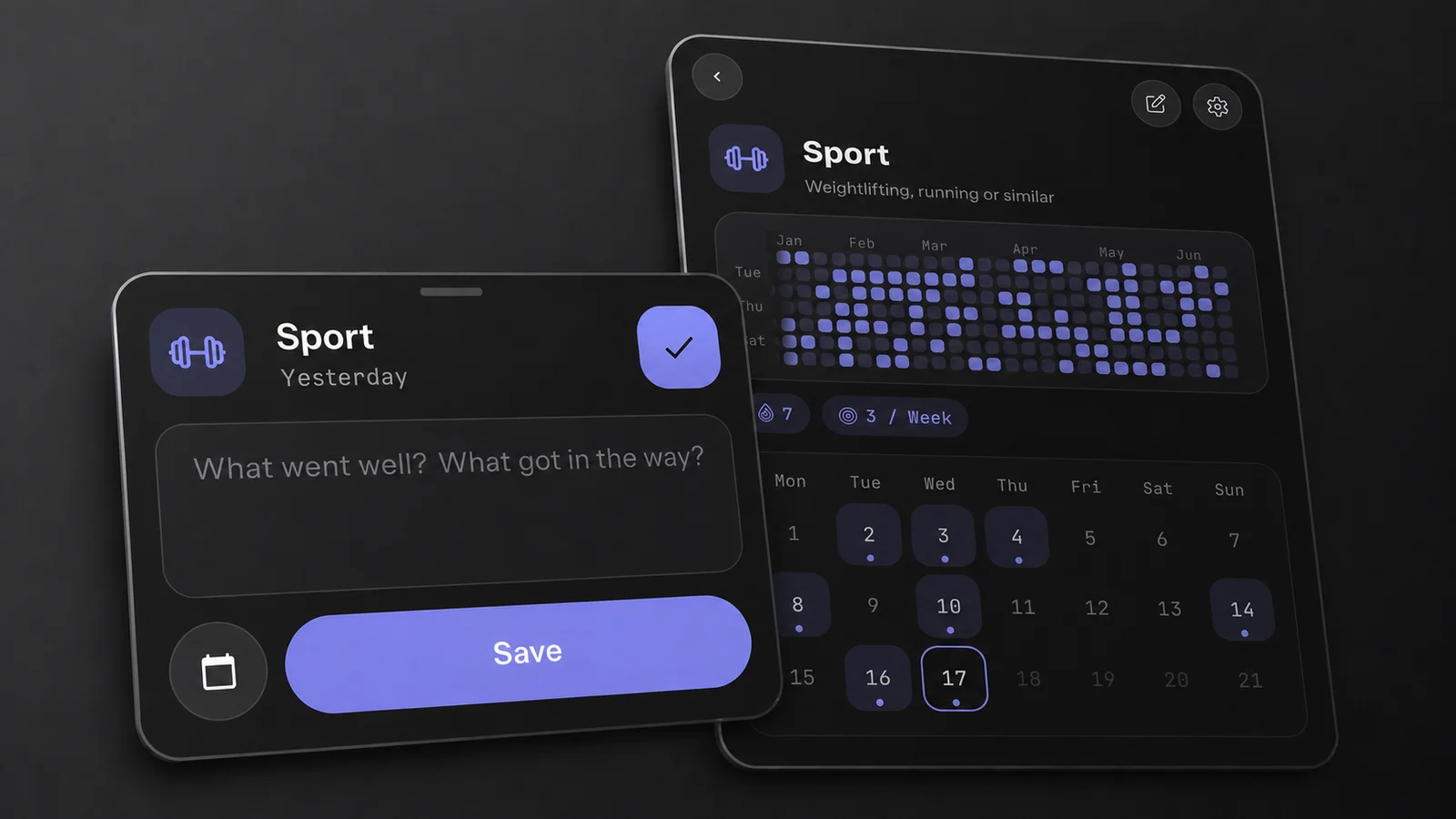
Long-press a day to open its editor. The completion and the note are separate.
The field asks "What went well? What got in the way?". The detail page shows the three most recent notes, with All notes for the rest.
A note does not make a day complete. You can record why you skipped a day without adding progress or making it count toward a streak. The note remains available in the calendar and notes list.
Tap Save before dismissing the editor. Swiping it away or tapping outside does not save a draft. Switching to another day inside the editor does save the edited note; the calendar button beside Save opens the date picker.
When The Day Rolls Over
HabitKit uses your device's calendar day, midnight to midnight. There is no custom start-of-day time. An entry made at 00:30 belongs to the new day unless you deliberately select yesterday.
To log yesterday, use the calendar or Complete Yesterday in the habit's context menu. Depending on the entry and note settings, that command may open an editor or confirmation rather than completing immediately.
Completions retain their original local calendar dates when you travel across time zones.
Related Questions
Can I Log A Day In The Future?
No. The calendar stops at the current month and future days cannot be logged. You can record today or an editable past day.
Does A Note Count As A Completion?
No. A note can exist on a day with zero progress. It stays visible in the calendar and notes list when Notes is enabled, but does not make the day count toward a streak.
Can I Change What Time My Day Starts?
No. HabitKit uses your device's calendar day, midnight to midnight. To record something for yesterday, select that day in the calendar or use Complete Yesterday in the habit's context menu.