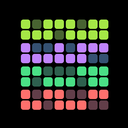
HabitKit 1.13 rebuilt the habit detail page around the calendar. A habit's history moved onto the page itself, always visible, with the habit's own colour washed behind every day you completed it.
Release notes · 1.13
Habit history moved onto the detail page itself, always visible, with the habit's color washed behind completed days.
- Compact list became configurable (Pro): 1 to 7 days, optional habit names, bigger tap targets, translated weekday letters.
- Noticeably quicker. Graphs cache their layout, view switching stops redrawing the whole dashboard, and the app downloads smaller.
History At A Glance
Open a habit and its calendar is right there, no extra tap needed. Completed days carry the habit's colour, so a good month looks like one, and filling in a forgotten day is a tap on the date (log a completion and fix a past day). The year grid on the overview tells the same story at a larger scale; how the habit grid works explains how to read it.
A Compact List You Can Configure
The compact list became configurable with Pro: show from one to seven days, add or hide habit names, and get bigger tap targets. Weekday letters were translated for every language.
Quicker Everywhere
Graphs cache their layout, switching views no longer redraws the whole dashboard, and the app download got smaller.