
How The Habit Grid Works
By Sebastian Röhl, creator of HabitKit
4 min read Published Updated Instructions for HabitKit 1.18.0
Every habit gets its own grid. One small square is one calendar day and each column is one week. For a habit you are building, a square fills with the habit's colour when you meet that day's goal.
The grid runs through the current week, so its last column can include faint future days. Today's tile is not necessarily the bottom-right square.
On this page
One Tile Is One Day
The layout runs like a calendar turned on its side. Rows are weekdays and columns are weeks. Month and weekday labels help you find your bearings on a habit's detail page. Labels on overview cards are optional Pro customisations.
How far back the grid reaches depends on your recorded history:
- With less than a year between your first and most recent logged completions, it starts 365 days before the most recent one.
- With a longer history, it starts at your earliest completion.
- On sufficiently wide screens, the shorter-history window starts two years before the most recent completion instead.
The grid then extends through the current week. That means a habit you have not logged for a long time can show more than a year's worth of columns. A day carrying only a note does not extend the history boundaries.
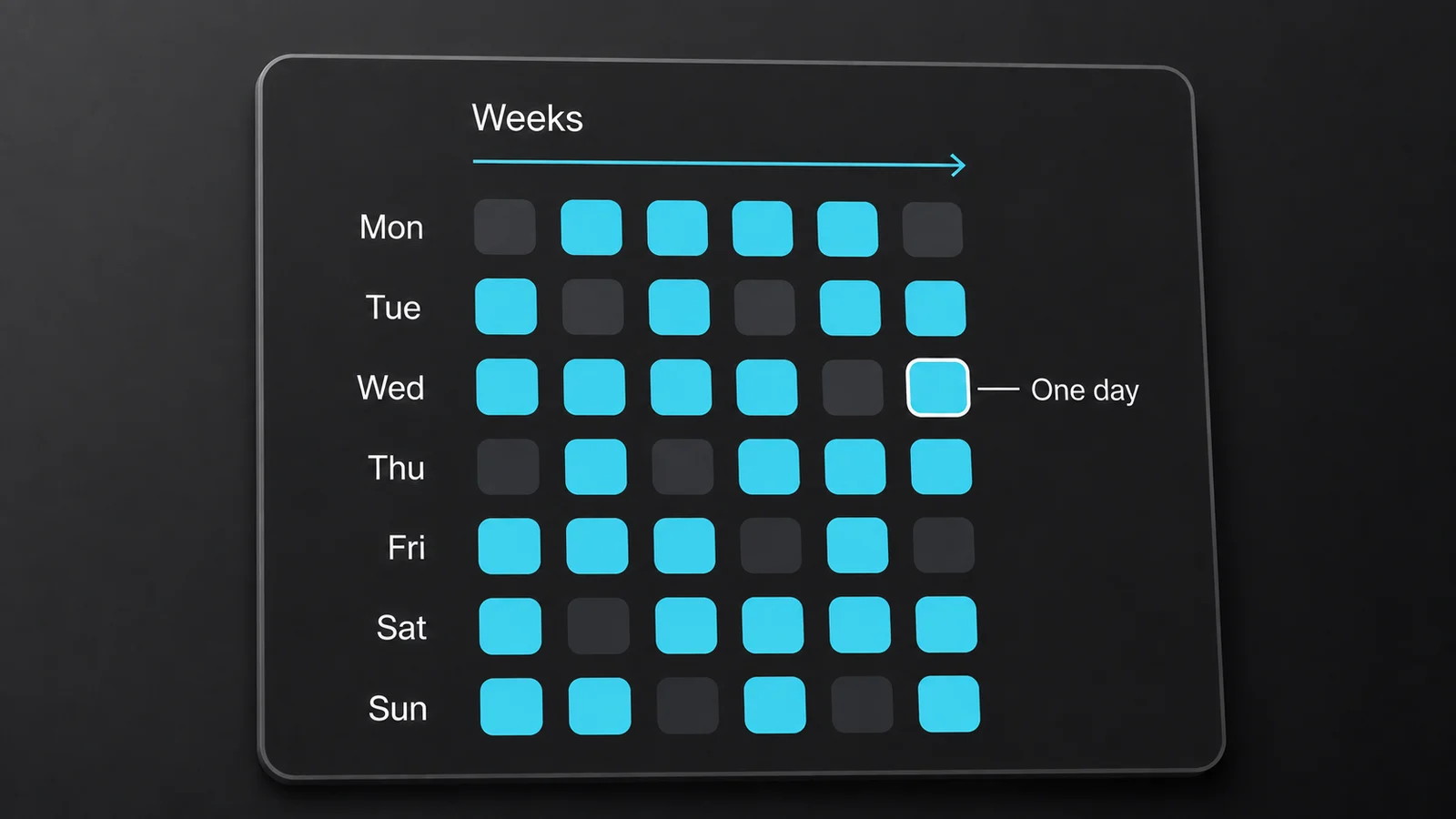
A simplified grid with Monday as the first row. Each column is a week and each tile is one day.
What Each Shade Means
For a habit you are building:
- Empty track. Nothing logged on that day.
- Partial colour. Some progress, but the daily goal has not been reached. There are five partial shades, growing stronger at 20%, 40%, 60% and 80% of the goal.
- Full colour. You met or exceeded the daily goal.
- Very faint tiles. Future days and days before tracking began are visually subdued.
With a daily goal of six, logging one, two, three, four or five each produces a different partial shade. Six fills the tile completely. With Yes / No tracking, the day is simply empty or complete.
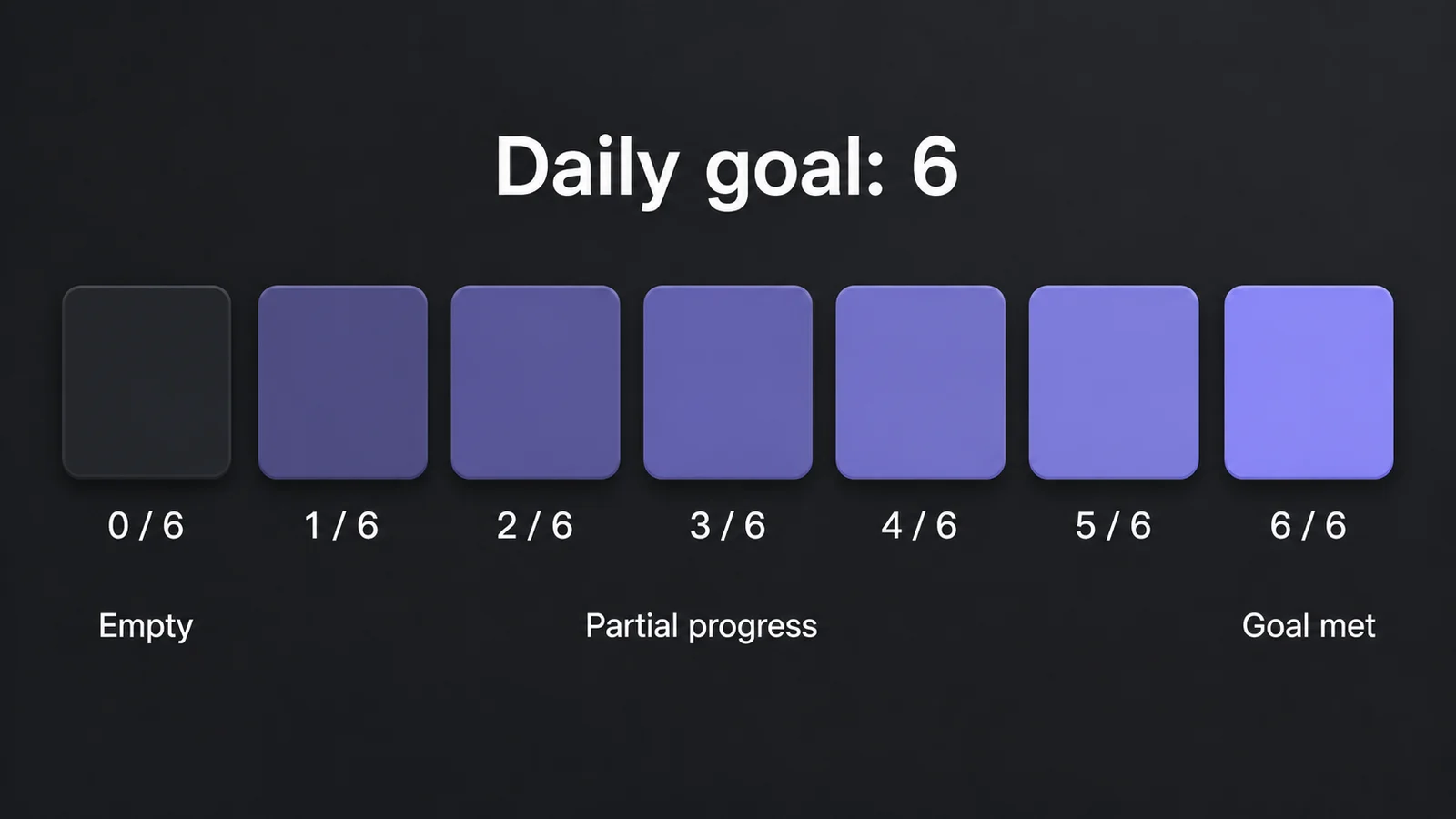
An illustrated six-completion goal: empty, five partial shades, then full colour.
For a habit you are quitting, the meaning reverses. Yes / No shows clean days filled and slips empty. Count and Measure show the allowance remaining under your Stay Below: zero logged is full, amounts below the maximum fade progressively, and reaching the maximum makes the day empty. See track a habit you want to quit.
If a day looks wrong, check a day you completed looks empty or missing.
Change The Grid Layout
Two settings live at Settings › General.
Week Starts On sets the first row. All seven days are available and the default is Monday. Changing it also moves the boundaries used to count weekly Streak Goals.
Highlight current day is off by default. Turn it on to outline today's tile in grids and home screen widgets.
The overview's month and weekday labels live at Settings › Overview › Dashboard Customization and require Pro. A habit's detail grid has its own labels. See what HabitKit Pro unlocks.
Related Questions
Why Does My Grid Only Go Back About A Year?
For a shorter history, the grid starts 365 days before your most recent completion and extends through the current week. With more than a year of recorded history, it starts at your earliest completion instead. Wide screens use a longer initial window.
Why Is A Day I Logged Only Partly Filled?
For a habit you are building, partial colour means you logged some progress but have not met that day's Daily Goal. There are five partial shades before full colour.
Can I Change Which Day The Week Starts On?
Yes. Open Settings › General › Week Starts On. All seven days are selectable and the default is Monday. It changes both the grid columns and weekly streak boundaries.