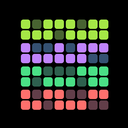
HabitKit 1.7 turned the home screen widget from a display into a button. Tap the widget's check to complete a habit right there, without opening the app.
Release notes · 1.7
Check a habit off directly on its home screen widget, without opening the app.
- Widgets follow the device's light and dark theme, highlight today, respect your week-start setting and refresh when a new day begins.
- Complete or uncomplete yesterday straight from the habit list.
- Reorder habits by long-pressing and dragging on the list itself.
- Russian language support.
Complete Habits From The Widget
Check a habit off directly on its home screen widget. It is the fastest way to log a habit: unlock, tap, done. Add a HabitKit widget to your home screen shows how to set one up.
Widgets That Keep Up
Widgets follow the phone's light and dark theme, highlight today, respect your week-start setting and refresh when a new day begins. If one ever shows yesterday's state, widget not updating explains the fix.
Yesterday, Reordering And Russian
Complete or uncomplete yesterday straight from the habit list, for the evenings you forget and remember in the morning (fix a past day). Reorder habits by long-pressing and dragging on the list itself. And HabitKit learned Russian.