
Set Daily Goals And Track Counts Or Measured Amounts
By Sebastian Röhl, creator of HabitKit
5 min read Published Updated Instructions for HabitKit 1.18.0
A habit can be a simple daily tick, a count or a measured amount. Choose Tracking in the habit editor, then set a Daily Goal if you need one. You can count eight glasses of water, read thirty pages or measure 2.5 kilometres.
On this page
Choose How To Track The Habit
Open the habit and tap Edit. The Tracking control sits directly below Habit type, with three choices:
- Yes / No. Mark the day done or not done. There is no numeric daily goal to set.
- Count. Record whole numbers, such as glasses, sets or pages.
- Measure. Record an amount with a unit, such as kilometres or minutes. This supports up to three decimal places.
For Measure, choose the Unit as well. Pick a unit that makes your entries easy to read: 2.5 km is supported, so you do not need to convert everything to metres. For a measured habit kept up over months, see tracking marathon training.
These instructions describe a habit you are building. For a habit you are quitting, Count and Measure use a Stay Below instead. You must stay below it for the day to remain clean. See track a habit you want to quit.
Set A Daily Goal
- Choose Count or Measure under Tracking.
- Find Daily Goal below it.
- Tap the value to type your target, or use the minus and plus buttons to adjust it.
- Tap Save on the habit editor.
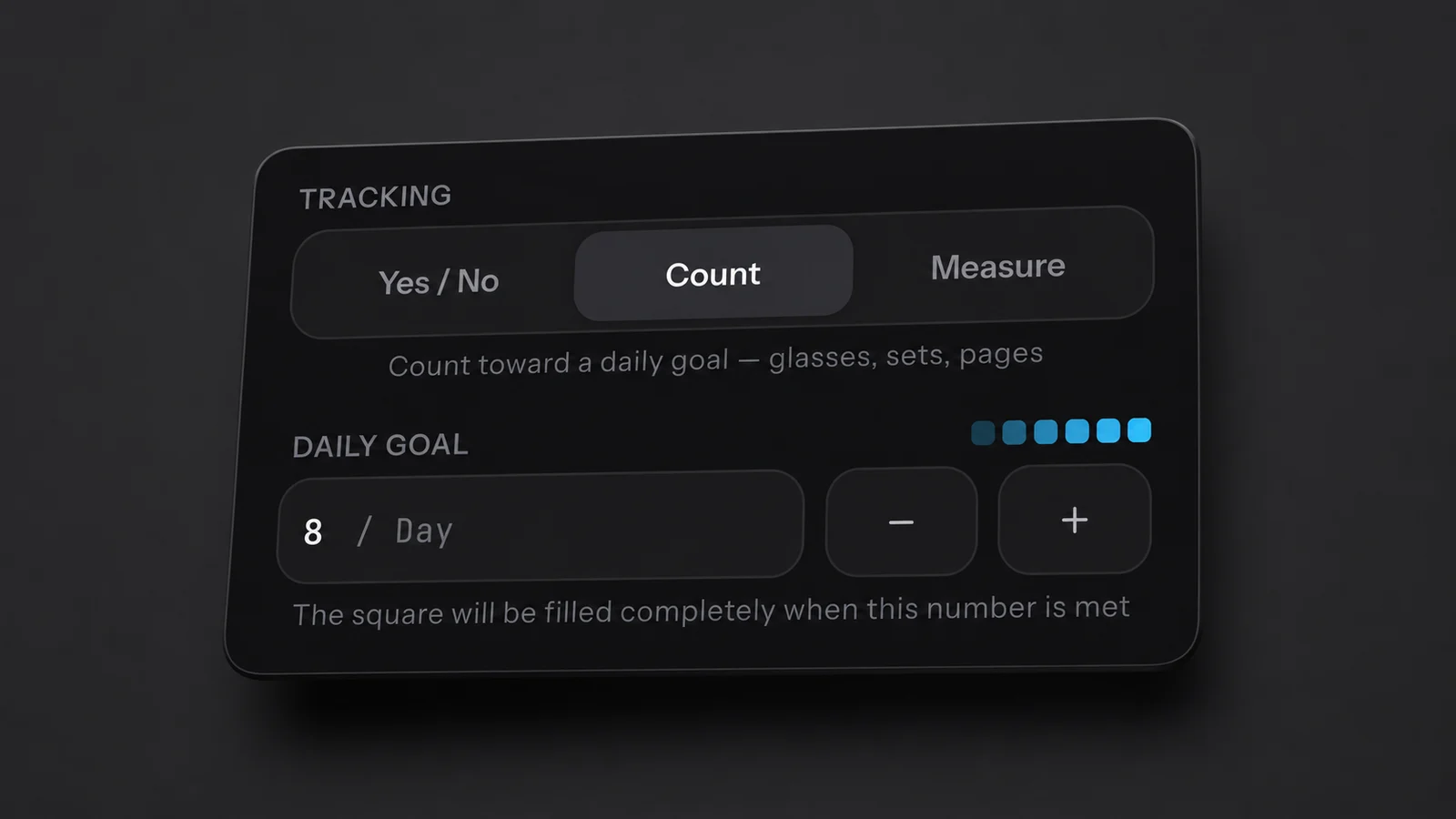
The current editor: choose Count, then enter the daily goal directly in the field.
The row of small squares previews the shading. As you log progress, the day's tile passes through five partial shades before reaching full colour at the goal. How the habit grid works explains the scale.
A Daily Goal is the amount required for one successful day. A Streak Goal is how often you need successful days. With a Daily Goal of three and a weekly Streak Goal of four, you need four separate days that each reach three. Twelve completions on one day still count as one successful day.
Tap To Add, Or Enter An Amount
For Count and Measure, choose On Tap in the habit editor, below the daily target:
- Add 1: a tap adds one while you are below the goal, stopping at the goal if less than one remains. At or beyond the goal, a tap opens the number sheet.
- Enter total: a tap opens the number sheet immediately so you can enter the day's amount.
This choice applies to both tracking types, regardless of the unit or target size. An Add 1 habit can have a goal above 15; an Enter total habit can have a goal of one.
Older habits without a saved On Tap choice keep their previous behaviour: goals of 16 or more open the sheet immediately, as do older manual-entry build habits. Choose On Tap explicitly if you want to change that.
Press and hold the completion indicator on any Count or Measure habit, including a goal of one, to open the number sheet directly. For a past day, use the habit's month calendar; press and hold the day to open its editor.
The number sheet lets you:
- Enter the day's total in the value field.
- Use quick-add buttons to increase the draft amount.
- Tap the shortcut showing the goal number to set the amount to the goal.
- Tap 0 to clear the amount.
- Tap Save, which includes the amount in its label, to apply the change.
Count accepts whole numbers. Measure accepts up to three decimal places, with either a comma or a full stop as the decimal separator. Enter the total you want the day to contain, rather than only the extra amount, unless you are using a quick-add button.
Keep Recording Beyond The Goal
After a numeric habit reaches its goal, tapping the indicator opens the number sheet so you can adjust the total or record more. A Measure habit also uses the sheet at its goal, including goals of one or less.
You do not need to enable a separate setting before recording extra progress on a new habit. Extra amounts appear in your recorded totals, but do not count as extra successful days toward a streak. A day that reached three counts once whether you logged three or thirty.
A Yes / No habit is different: tapping its completed indicator unticks the day. If you want to record quantities, choose Count or Measure.
For notes and corrections to earlier days, see log a completion and fill in a day you missed.
Related Questions
Can I Track Decimals, Like 2.5 Km?
Yes. Choose Measure under Tracking, choose a unit and enter the amount. Measure supports up to three decimal places. Count uses whole numbers.
How Do I Change A Count After Reaching The Goal?
Tap the numeric habit's completion indicator to open the number sheet, enter the total you want and save it. For any Count or Measure goal, press and hold the indicator to open the sheet before reaching the goal. Choose Enter total under On Tap if you want every tap to open it.
Does Going Over The Goal Count Twice Toward My Streak?
No. A day that met its goal counts once no matter how far past it you went. Extra amounts remain in your recorded totals.