No 18 · Comparison
The Best Habit Tracker Apps With Widgets In 2026
By Sebastian Röhl, creator of HabitKit
15 min read Published
The best habit tracker widget does two jobs: it shows your progress every time you unlock your phone, and it lets you log a habit without opening the app. Five apps do that well on iPhone or Android: HabitKit, Streaks, Loop Habit Tracker, TickTick and Habitify.
A widget matters more than it sounds. Most habit apps fail quietly, by sliding off the first home screen and into a folder. A widget keeps the habit in the one place you look dozens of times a day, which turns the home screen itself into a reminder. Whether that reminder works depends on what the widget shows and how many taps it saves.
Full disclosure: HabitKit is our app, and we put it first because it is the one we would pick. Every app here gets the same treatment anyway: real strengths, real weaknesses and facts dated to the day we checked them. There are no affiliate links, and no app paid to be on this list.
-
 HabitKit · Best Overall
Each habit's grid on the home screen, with today or earlier days ticked from the widget.
4.8/5 from HabitKit's editors
HabitKit · Best Overall
Each habit's grid on the home screen, with today or earlier days ticked from the widget.
4.8/5 from HabitKit's editors
-
 Streaks · Best For Apple Devices
Widgets you can tick from, plus Watch complications and Control Center buttons.
4.6/5 from HabitKit's editors
Streaks · Best For Apple Devices
Widgets you can tick from, plus Watch complications and Control Center buttons.
4.6/5 from HabitKit's editors
-
 Loop Habit Tracker · Best Free Widgets On Android
Six free widget types, including one that checks a habit off.
4.4/5 from HabitKit's editors
Loop Habit Tracker · Best Free Widgets On Android
Six free widget types, including one that checks a habit off.
4.4/5 from HabitKit's editors
-
 TickTick · Best For Tasks And Habits Together
Today, weekly and heat map habit widgets beside your tasks and calendar.
4.0/5 from HabitKit's editors
TickTick · Best For Tasks And Habits Together
Today, weekly and heat map habit widgets beside your tasks and calendar.
4.0/5 from HabitKit's editors
-
 Habitify · Best For Watch Faces
Streak and progress widgets, plus Wear OS tiles and complications.
3.7/5 from HabitKit's editors
Habitify · Best For Watch Faces
Streak and progress widgets, plus Wear OS tiles and complications.
3.7/5 from HabitKit's editors
Written by the maker of HabitKit, who wants you in the app that suits you. The stars are our own editorial rating out of five, not store ratings. Streaks, Loop Habit Tracker, TickTick and Habitify are named for comparison only; HabitKit is not affiliated with their makers. Prices and features come from the US App Store, Google Play and each developer's own site on the date above.
On this page
Quick Comparison
| App | What the widgets show | Tick off from the widget | Price (US) | Our rating |
|---|---|---|---|---|
| 1. HabitKit | One habit's grid, or a compact list of up to eight | Yes, on iOS 17+ and Android | Widgets with Pro; free for four habits | 4.8/5 |
| 2. Streaks | Today's tasks, streaks and charts | Yes, on iOS 17+ | $5.99 one-time | 4.6/5 |
| 3. Loop Habit Tracker | Checkmark, history, score, streak, frequency and target | Yes | Free | 4.4/5 |
| 4. TickTick | Today's habits, the week, a monthly heat map | Not confirmed on phones | Basic widgets free; $49.99 a year for all | 4.0/5 |
| 5. Habitify | One habit's streak or progress, days since | Not confirmed | Free for three habits; from $29.99 a year | 3.7/5 |
"Our rating" is our own judgment against the criteria below, not a store rating. "Not confirmed" means the developer's listing and help pages don't say either way.
Widget Features Compared
| HabitKit | Streaks | Loop | TickTick | Habitify | |
|---|---|---|---|---|---|
| iPhone home screen widgets | Yes | Yes | No | Yes | Yes |
| Android home screen widgets | Yes | No | Yes | Yes | Yes |
| Shows history at a glance | Yes, grids | Charts | Yes, charts | Yes, heat map | Not listed |
| Log past days from the widget | Yes, compact list | Not listed | Not listed | Not listed | Not listed |
| Lock Screen widgets on iPhone | No | Not listed | No | Yes | Not listed |
| Apple Watch complications | No | Yes | No | Yes | Not listed |
| Widgets free of charge | No, Pro | Yes, paid app | Yes | Basic only | Not listed |
How We Evaluated
We looked at five things, in this order of weight:
- Can you log from it? A widget that only opens the app saves you one tap; one that ticks the habit saves you the whole trip.
- Does it show progress at a glance? Today's checklist is useful; weeks or months of history is what makes a habit visible.
- Choice of sizes and layouts. One habit large, or many habits small.
- What it costs. Whether widgets are free, included in the price, or part of a paid plan.
- Reliability. Whether recent reviews say the widget actually updates.
Every fact on this page comes from the app's App Store or Google Play listing, its developer's website, help center or code repository, checked on the date at the top. We also read recent low-star reviews for each app's weaknesses.
The 5 Best Habit Tracker Apps With Widgets
HabitKitNo 01 · Best Overall
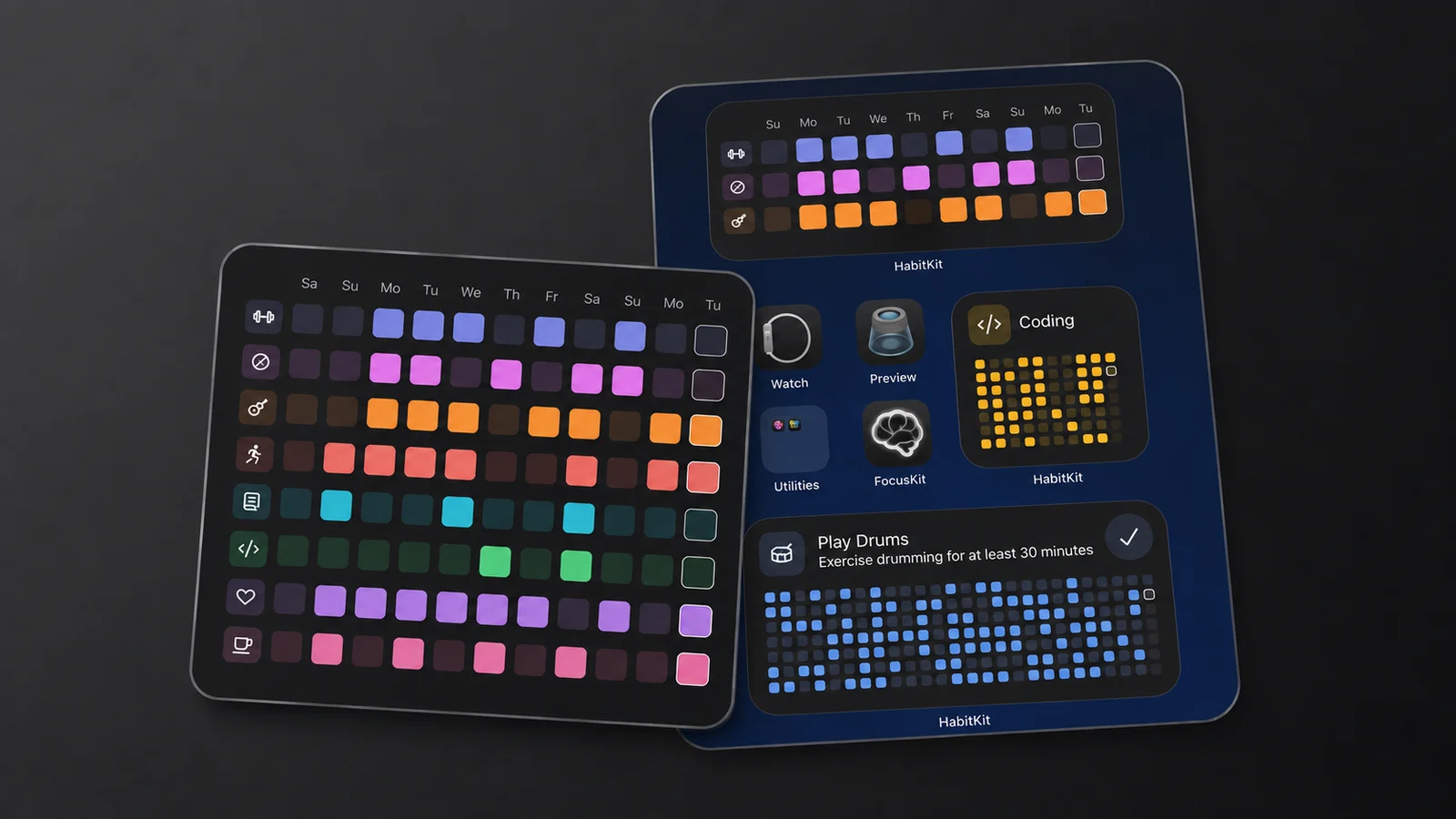
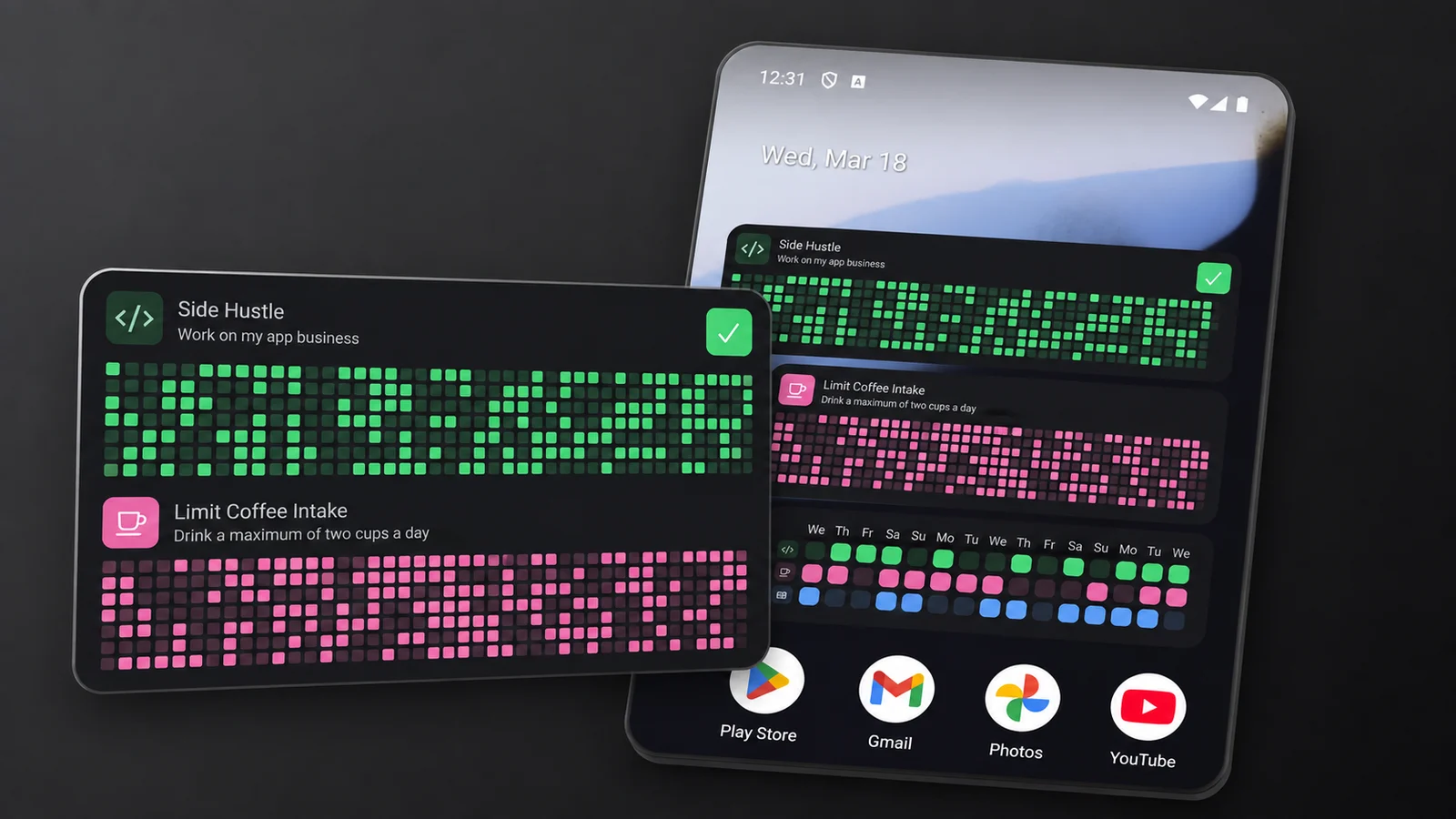
HabitKit's own widgets on iPhone and Android, shown with demo habits.
HabitKit's widgets show what the app shows: each habit as a grid of days, one tile per day, filled in the habit's colour. A glance at the home screen tells you how the last few months went, not just whether today is done.
There are four widgets on iPhone and three on Android. The Small and Medium Habit Widgets show one habit's grid with a button to complete today. The Compact Habit List shows several habits as rows of squares, and on that one you can tap the visible days, including earlier ones you forgot to log. On iPhone the Large list holds up to eight habits; on Android every widget can be resized, and the compact list adds rows and days as it grows.
What it does well
- Months of progress at a glance, for one habit or several (how the grid works).
- Log today or a missed earlier day straight from the compact list (what you can tap).
- Count habits from the widget. Each tap adds one until the daily goal is reached.
- Siri and Shortcuts on iPhone for logging without touching the screen (Siri and Shortcuts).
Where it falls short
- Widgets need Pro. Without it, an iPhone widget shows your grid blurred behind a padlock. It's the most common complaint in HabitKit's low-star reviews.
- No Lock Screen widget and no Apple Watch app.
- Compact lists show icons only, not habit names, and an Android widget's habits are chosen when you place it.
- Pricing
- Free for four habits. Widgets are part of Pro, sold as a monthly or yearly subscription or a one-time Lifetime purchase; prices vary by country and are shown in the app.
- Platforms
- iPhone and Android.
- Ratings
- 4.8 from 2,484 ratings on the US App Store, 4.6 on Google Play.
StreaksNo 02 · Best For Apple Devices
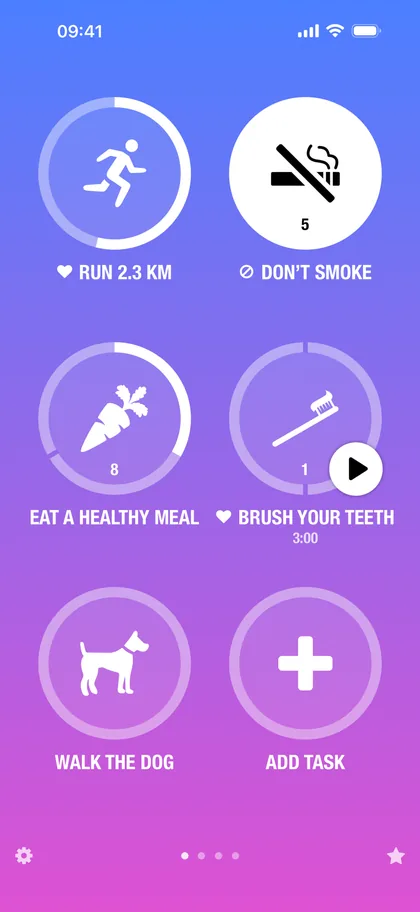
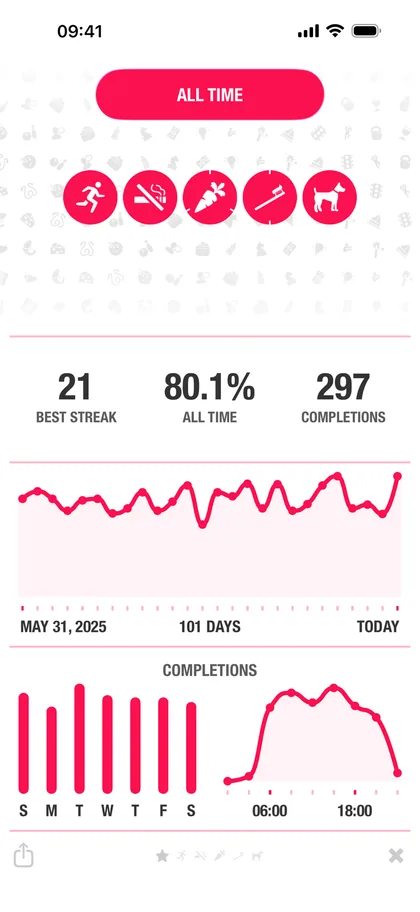
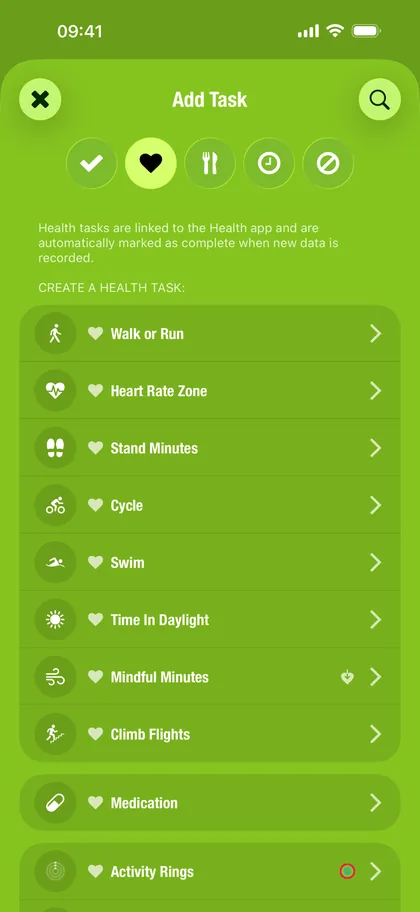
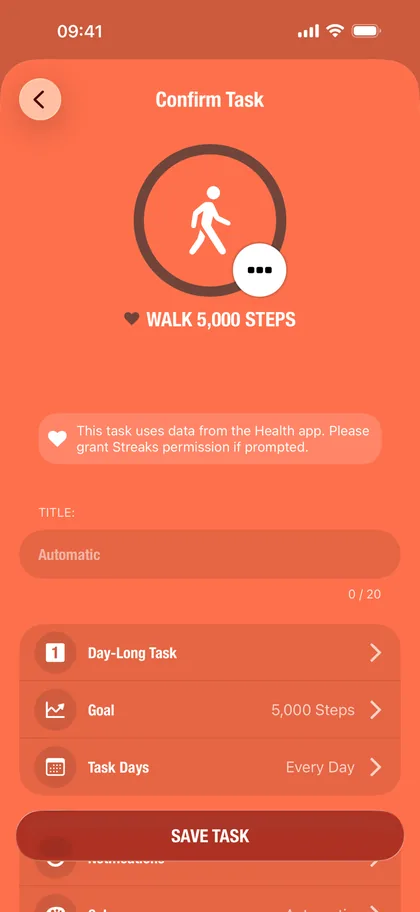
Screenshots from the Streaks listing on the App Store. Images by its developer.
Streaks goes further than a home screen widget. Its Tasks widget lets you complete tasks with a tap on iOS 17 or later, and timed tasks get play and pause buttons. Recent versions added extra-large widgets and a Tasks widget limited to one category, Control Center buttons to complete a task, and Live Activities that count a timed task down on the Lock Screen.
On Apple Watch it supports every complication type, and Apple Health completes fitness tasks for you, so some days the widget simply shows the work already done.
What it does well
- Tick tasks off from the widget, and start timers from it.
- Control Center, Live Activities and complications, so a habit is never more than a glance away.
- Included in one $5.99 purchase, with nothing extra to unlock.
Where it falls short
- Apple only. No Android widgets, or Android anything.
- Today, not the month. The widgets focus on what's left today; longer history lives in the app's statistics.
- Recent watch complaints. A September 2026 review says complications were reduced to dots and an automatic "up next".
- Pricing
- $5.99 once on the US App Store, with no in-app purchases.
- Platforms
- iPhone, iPad, Mac, Apple Watch and Vision Pro.
- Ratings
- 4.8 from 27,352 ratings on the US App Store.
Loop Habit TrackerNo 03 · Best Free Widgets On Android
Loop offers more habit widget types than any other app here, and charges nothing for them. There are six kinds, each showing one habit and each resizable: Checkmark, History, Score, Streaks, Frequency and Target. The Checkmark widget is the one you tap to log a habit; the others turn your history into charts.
The app itself is free, open source and ad-free, with no account and no internet connection needed.
What it does well
- Six free widget types, from a one-tap checkmark to a history chart.
- Log from the home screen or the notification, without opening the app.
- No account, no ads, no cost.
Where it falls short
- Android only. No iPhone version.
- Plain design. The widgets are functional rather than pretty, and there's no sync between devices.
- Slow updates. The last Google Play update was in September 2025.
- Pricing
- Free, with no in-app purchases and no ads.
- Platforms
- Android, from Google Play or F-Droid.
- Ratings
- 4.7 from about 63,500 ratings on Google Play.
TickTickNo 04 · Best For Tasks And Habits Together
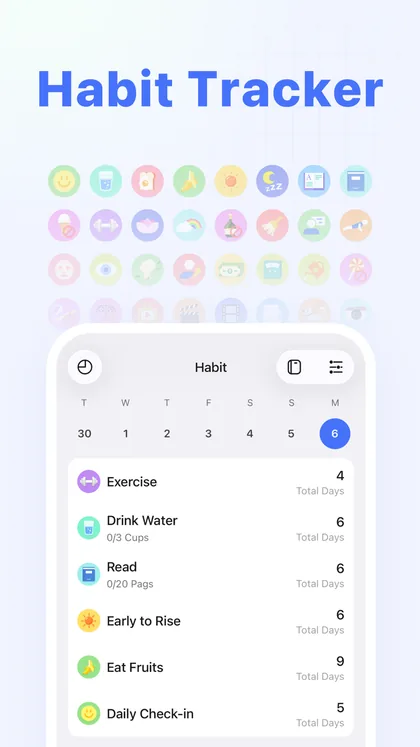
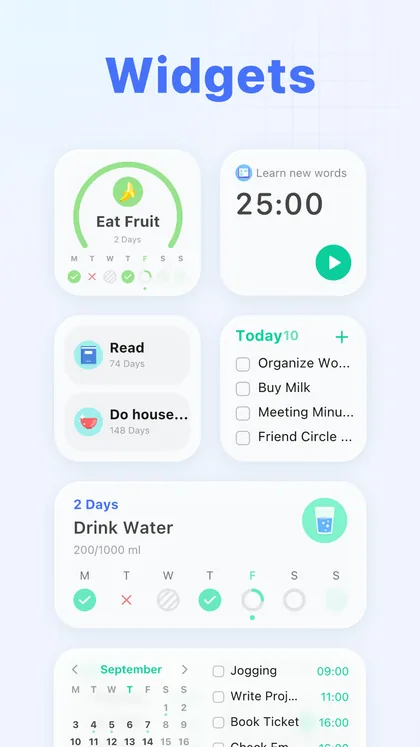
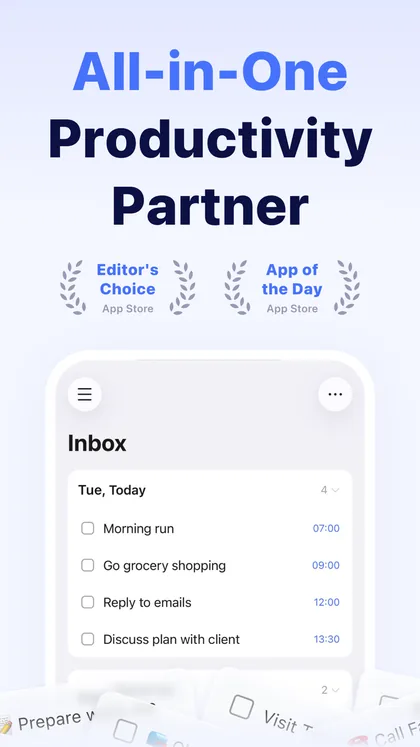
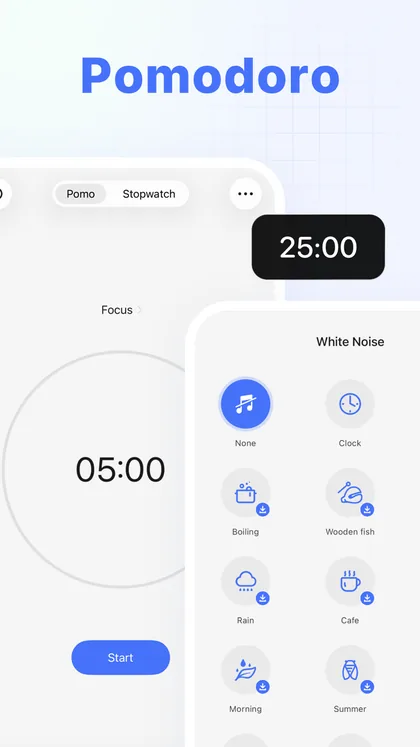
Screenshots from the TickTick listing on the App Store. Images by its developer.
TickTick is a to-do app with a habit tracker inside, and its widgets reflect that. There are three habit widgets on both iPhone and Android, Today Habits, Weekly Habits and Habit Heat Map, which shows each day of the current month, next to widgets for tasks, the calendar and the focus timer.
iPhone gets the most: Lock Screen and StandBy widgets, Live Activities that can show habits, and a Control Center button that opens a habit. The free plan includes "Basic" widgets and Premium "Unlimited", in TickTick's words.
What it does well
- A monthly heat map widget for each habit.
- Lock Screen, StandBy and Live Activities on iPhone.
- Habits beside tasks and the calendar, all as widgets.
Where it falls short
- Logging from a phone widget isn't confirmed. TickTick's help confirms one-tap habit check-in on Apple Watch and Windows widgets, but not on phones.
- The full widget set is Premium, at $49.99 a year with no lifetime option, and the free plan allows five habits.
- Habits are a side feature of a busy to-do app.
- Pricing
- Free for five habits and basic widgets. Premium is $4.99 a month or $49.99 a year.
- Platforms
- iPhone, iPad, Mac, Apple Watch, Android, Wear OS, Windows and the web.
- Ratings
- 4.9 from 46,434 ratings on the US App Store and 4.6 on Google Play.
HabitifyNo 05 · Best For Watch Faces
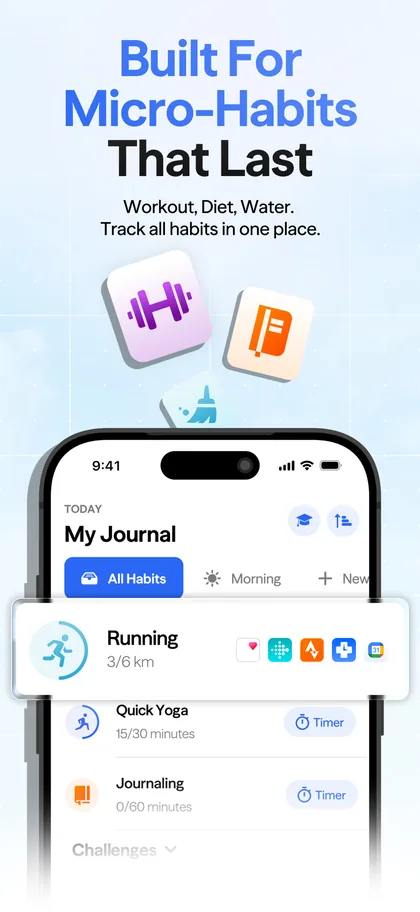
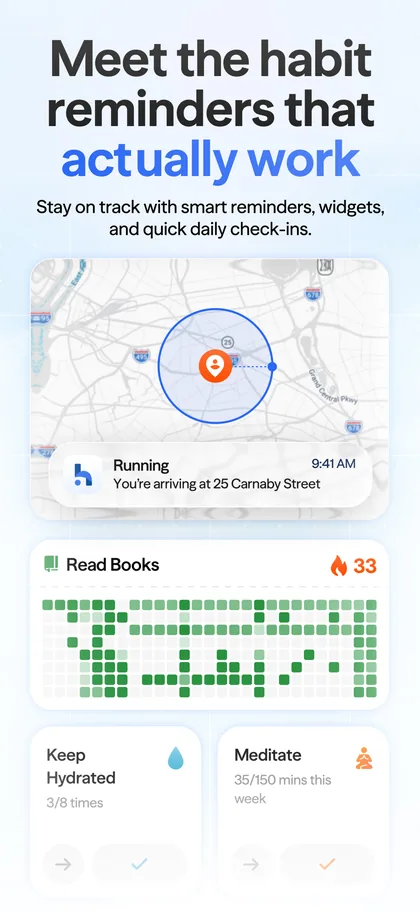
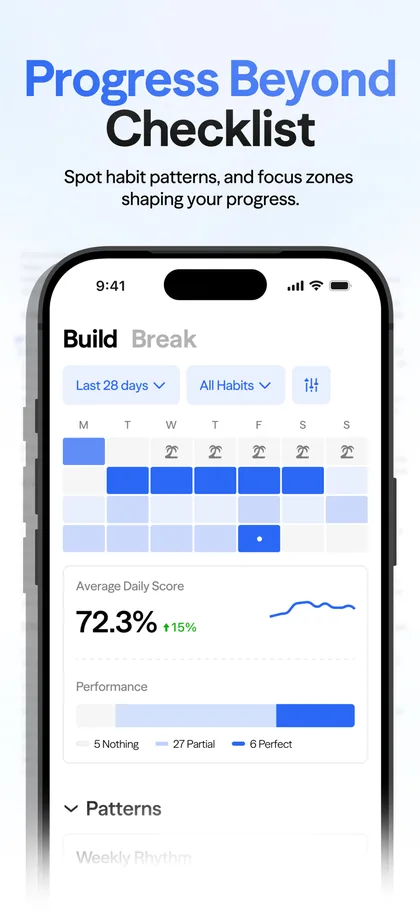
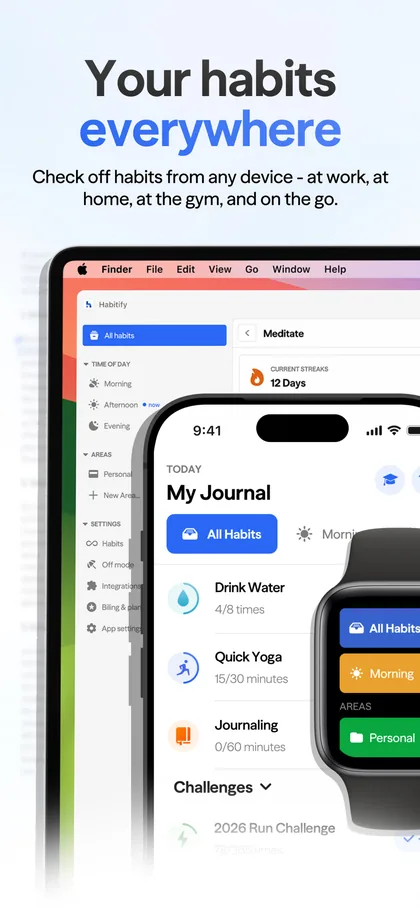
Screenshots from the Habitify listing on the App Store. Images by its developer.
Habitify's widgets are spread across more devices than anyone else's. On Android there's a Streak widget for one habit's current streak and a Progress widget for numeric goals such as 1,500 of 2,000 ml. On iPhone there's a Days Since widget for a habit you're quitting, and Live Activity reminders keep habits on the Lock Screen and in the Dynamic Island. On Wear OS, complications show progress on the watch face and Tiles mark habits done.
What it does well
- Progress widgets for numeric goals, such as water or steps.
- Wear OS tiles and complications, and an Apple Watch app.
- Live Activity reminders on the iPhone Lock Screen.
Where it falls short
- Reliability complaints. Recent App Store reviews say the widgets "appear blank" or "do not update for today".
- Its widget help page is gone, so what each widget can do on iPhone isn't documented.
- Three habits on the free plan.
- Pricing
- Free for three habits. Plus is $29.99 a year; Pro is $8.99 a month, $49.99 a year or a one-time lifetime purchase listed at $59.99 and $119.99 on the US App Store.
- Platforms
- iPhone, iPad, Mac, Apple Watch, Vision Pro, Android, Wear OS and the web.
- Ratings
- 4.6 from 7,142 ratings on the US App Store and 4.2 on Google Play.
Which Widget Should You Pick?
- If you want to see months of every habit on your home screen and log a forgotten day from it, on iPhone or Android: pick HabitKit.
- If you're all Apple and want to log from widgets, Control Center and your Watch: pick Streaks.
- If you're on Android and want free widgets: pick Loop Habit Tracker.
- If your habits live next to your tasks: pick TickTick.
- If your watch face matters most: pick Habitify.
How To Make A Habit Widget Actually Work
A widget is a cue: something in your surroundings that prompts the habit. Cues work best when they're hard to miss and tied to a moment you already have, so put the widget on your first home screen rather than the third, near the apps you open at the time you want to do the habit. Our guide to choosing a cue you will actually notice goes through the research, and habit tracker apps for ADHD covers why an outside cue matters even more when remembering at the right moment is the hard part.
Keep it to the habits you're building now. A widget with twelve habits is a to-do list; one with two or three is a nudge. And if a widget stops changing, open the app once: on both platforms the app supplies the data the widget draws (widget not updating).
Frequently Asked Questions
Which Habit Tracker Has The Best Widgets?
For seeing your progress at a glance and logging from the home screen on iPhone or Android, HabitKit. For the most Apple surfaces, including Control Center and the Watch, Streaks. For free widgets on Android, Loop.
Can I Check Off A Habit From A Widget?
Yes, in HabitKit (iOS 17 or later, and Android), Streaks (iOS 17 or later) and Loop. TickTick confirms widget check-in on Apple Watch and Windows but not on phones, and Habitify doesn't document it.
Are HabitKit's Widgets Free?
No. Home screen widgets are part of HabitKit Pro on both platforms. Without Pro, an iPhone widget shows your real grid blurred behind a padlock, and an Android widget says Pro is required (adding a widget).
Is There A Habit Tracker With A Lock Screen Widget?
TickTick has Lock Screen widgets on iPhone, and Streaks and Habitify use Live Activities on the Lock Screen. HabitKit has home screen widgets only.
Why Is My Habit Widget Not Updating?
Usually because the app hasn't run since your last change, or because the phone is limiting background work. Open the app for a few seconds and the widget should catch up; our widget troubleshooting covers the rest for HabitKit.
Final Thoughts
The point of a habit widget isn't the widget. It's that the habit stays in front of you on the days motivation doesn't. Pick the app whose widget shows the thing that keeps you going, whether that's today's checklist or a solid block of months, and give it a spot on your first screen.
HabitKit is free for four habits, and Pro adds widgets on iPhone and Android. Get it on the App Store or Google Play.
Sources
Checked on the date at the top of this page. App names, icons and screenshots belong to their developers and are shown to identify and illustrate each app; HabitKit is not affiliated with any of them.
- HabitKit on the US App Store and Google Play
- Streaks on the US App Store, streaks.app and Streaks for iOS 17
- Loop Habit Tracker on Google Play and its source code
- TickTick on the US App Store, Google Play, its widget help and TickTick Premium
- Habitify on the US App Store, Google Play, its Android widget changelog and its pricing page