
Widget Not Updating: How To Refresh It
By Sebastian Röhl, creator of HabitKit
5 min read Published Updated Instructions for HabitKit 1.18.0
Open HabitKit, leave it in the foreground for a few seconds, then return to your home screen. The app provides the data your widgets display, so opening it is the first step when a widget looks out of date.
On this page
Open The App
HabitKit updates widget data after habits or completions change. Several quick changes can be grouped into one update, so a short delay is normal.
There is no separate refresh button. If opening the app does not help, check that the widget still points to an active habit and follow the steps below.
How Often Widgets Refresh On Their Own
On iOS, HabitKit requests a refresh shortly after midnight so the grid can roll over to the new day. The system controls when that refresh runs, so it is not a guarantee of an exact update time.
On Android, scheduled updates redraw the widget using the data already available on the phone. Battery restrictions can delay background updates. Open HabitKit to refresh its data before changing battery settings.
Messages And Loading States
&Quot;Open App To Refresh&Quot;
The Small and Medium widgets on iOS can show Open app to refresh. Android widgets can show Open app to refresh widget. These messages mean the widget needs fresh data from HabitKit. An iOS Compact Habit List can show sample content instead when its data is unavailable.
Open the app once. If the line is still there afterwards, remove the widget and add it again.
A Spinner That Never Finishes
On Android, a spinner can mean that widget data is not ready. A Small or Medium widget also shows one if its selected habit is missing, or if its image is unavailable in Legacy Mode.
Open HabitKit first. If the spinner stays, check whether the selected habit was archived or deleted, then remove and re-add the widget. Choose which habits a widget shows has the steps.
Compact Habit List widgets handle missing habits differently: they leave those habits out and use the remaining active habits in their saved order.
A Padlock
Home Screen Widgets are part of HabitKit Pro. A padlock is a Pro requirement rather than a stale widget. Add a habit tracker widget to your home screen explains the requirement.
Legacy Mode On Android
On Android, find Legacy (Performance) Mode under Settings › General › Home Screen Widgets.
On Android 11 and older, the Small and Medium Habit Widgets are pictures generated by the app. They open HabitKit when tapped, but cannot log a completion directly. Legacy Mode uses this same display method on newer Android phones. The Compact Habit List remains interactive either way.
If tap-to-complete stopped working on Android 12 or later, turn Legacy Mode off and open HabitKit again. Turning it off cannot enable interactive Small or Medium widgets on Android 11 or earlier.
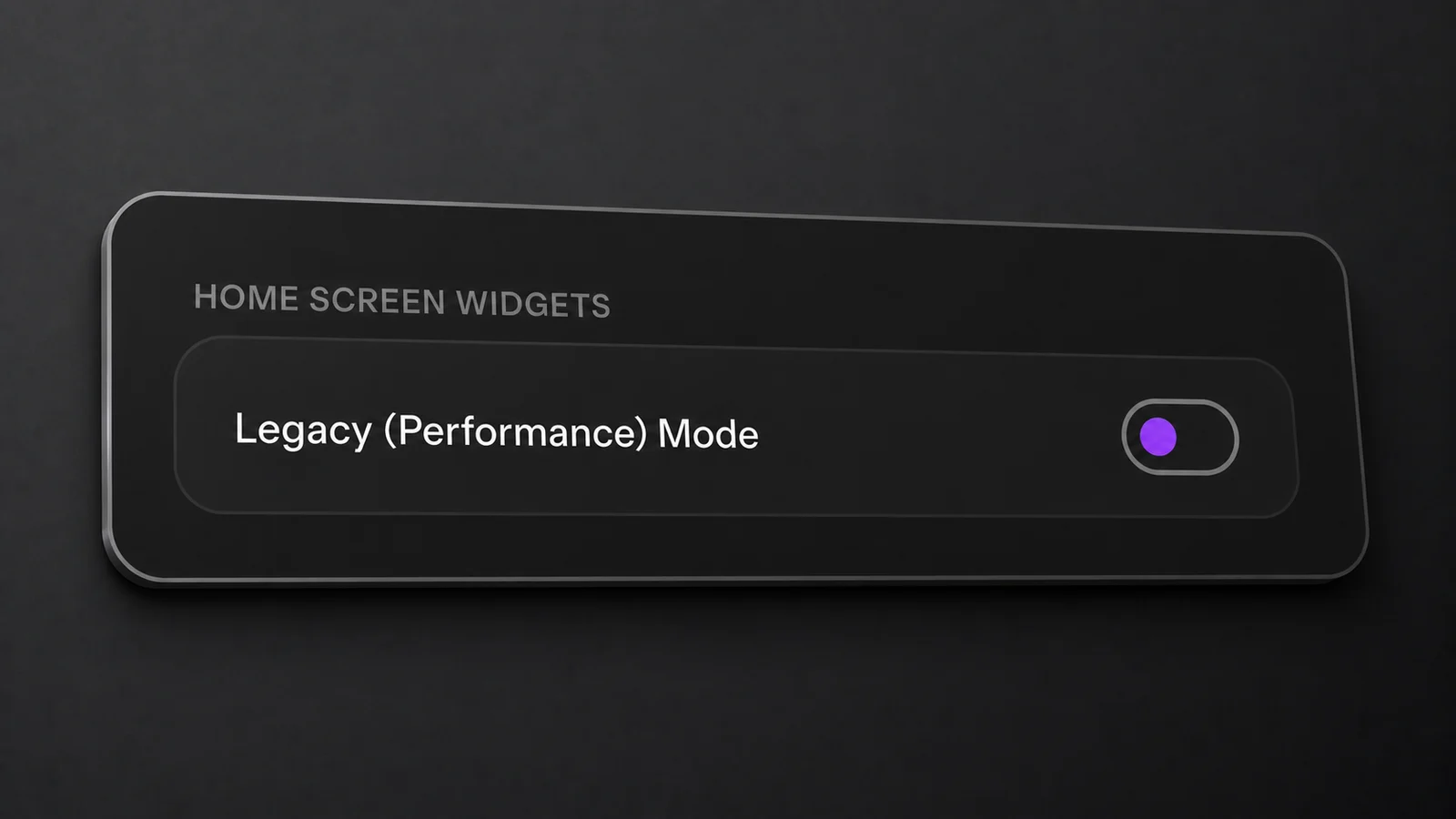
On Android, check Legacy (Performance) Mode under Settings › General. It is off in this example.
If It Still Looks Wrong
- Open HabitKit and leave it in the foreground for a few seconds.
- On Android 12 or later, turn Legacy (Performance) Mode off if you need interactive Small or Medium widgets.
- Remove the widget and add it again. This does not delete your habits or completions. Add a habit tracker widget to your home screen has the steps.
- Restart the phone.
- Write in, with your device model, OS version, app version, which widget it is and what it is showing. HabitKit will not open, or shows an error explains what to send and where.
Two problems next door to this one. If the widget is showing the wrong habit rather than the wrong day, that is configuration: choose which habits a widget shows. If reminders are also arriving late or not at all, that is a separate mechanism with its own article.
Related Questions
Is There A Manual Refresh Button For Widgets?
No. Open HabitKit and leave it in the foreground for a few seconds so it can refresh the data the widgets display.
Why Is My Widget Showing A Habit I Did Not Pick?
Check whether the selected habit was archived or deleted. An iOS single-habit widget falls back to the first active habit; an Android Small or Medium widget may show a spinner. Compact lists fill missing selections with other active habits. Choose the habit again, or restore it from the archive.
Can I See My Full Habit History In A Widget?
Widgets show a recent view rather than your full history. Open the habit in HabitKit to review older records.