
Reminder Notifications Arrive Late Or Not At All
By Sebastian Röhl, creator of HabitKit
7 min read Published Updated Instructions for HabitKit 1.18.0
HabitKit does not set a repeating alarm. It queues your reminders as individual notifications covering the next seven days, and it rebuilds that queue every time the app runs. So the fix for most missing reminders is the unglamorous one: open the app. If you have not opened it for about a week, the queue has run out and there is nothing left to fire.
If you have not set a reminder yet, set a reminder for a habit covers where the controls live. Everything below is the rest of the list, roughly in the order worth checking.
On this page
Open The App Once A Week
There is no repeating schedule anywhere in HabitKit. Every reminder you see was written into the system's notification queue in advance, seven days out, and the queue is topped up only while the app is running.
Anything that touches your data rebuilds it. The queue is rewritten when you:
- open the app, or bring it back from the background
- create, edit or delete a habit
- add, change or remove a reminder
- log a completion
- change the app language
- restore a backup or import a file
- send the app to the background
- return to it after the device time zone has changed
None of that happens while the app is closed. A phone that never runs HabitKit gets no new reminders, and there is no setting that changes this.
Opening the app also rewrites what your home screen widgets show. If your widget looks stale as well, that is the same cause, and widget not updating has the rest.
Silent On Purpose
Some reminders are supposed to stay quiet. Rule these out before you troubleshoot anything.
Today is already settled. A build habit that has met its daily goal will not remind you again today. The reminder rolls to the same weekday next week.
Quit habits work the other way round. A Yes/No quit habit reminds you while the day is clean and goes quiet after a slip. For a Count or Measure quit habit, reminders stop once the day reaches its daily limit, not after every amount you log.
The habit is archived. Archived habits stop reminding entirely. They keep all their history, but they are out of the schedule.
You have more reminders configured than your plan allows. HabitKit Pro allows up to three reminders per habit, free allows one. If you set up three while subscribed and later went back to free, only the first one is scheduled. The extra ones are still stored and come back if you subscribe again.
If a reminder went quiet because HabitKit believes today is done and you disagree, the day itself is probably the problem. See a day you completed looks empty or missing.
On iPhone And iPad
Check iOS Settings, then Notifications, then HabitKit, and confirm notifications are allowed.
HabitKit does not ask for notification permission at launch. It asks the first time you open a reminder editor or the Daily Check-In Reminders sheet. If you declined at some point, the reminder page shows a card headed Missing permission with a Give permission button. On iOS that button opens Settings for HabitKit rather than asking again, because iOS only offers the prompt once. Flip the switch there and come back; the card clears on its own within a few seconds.
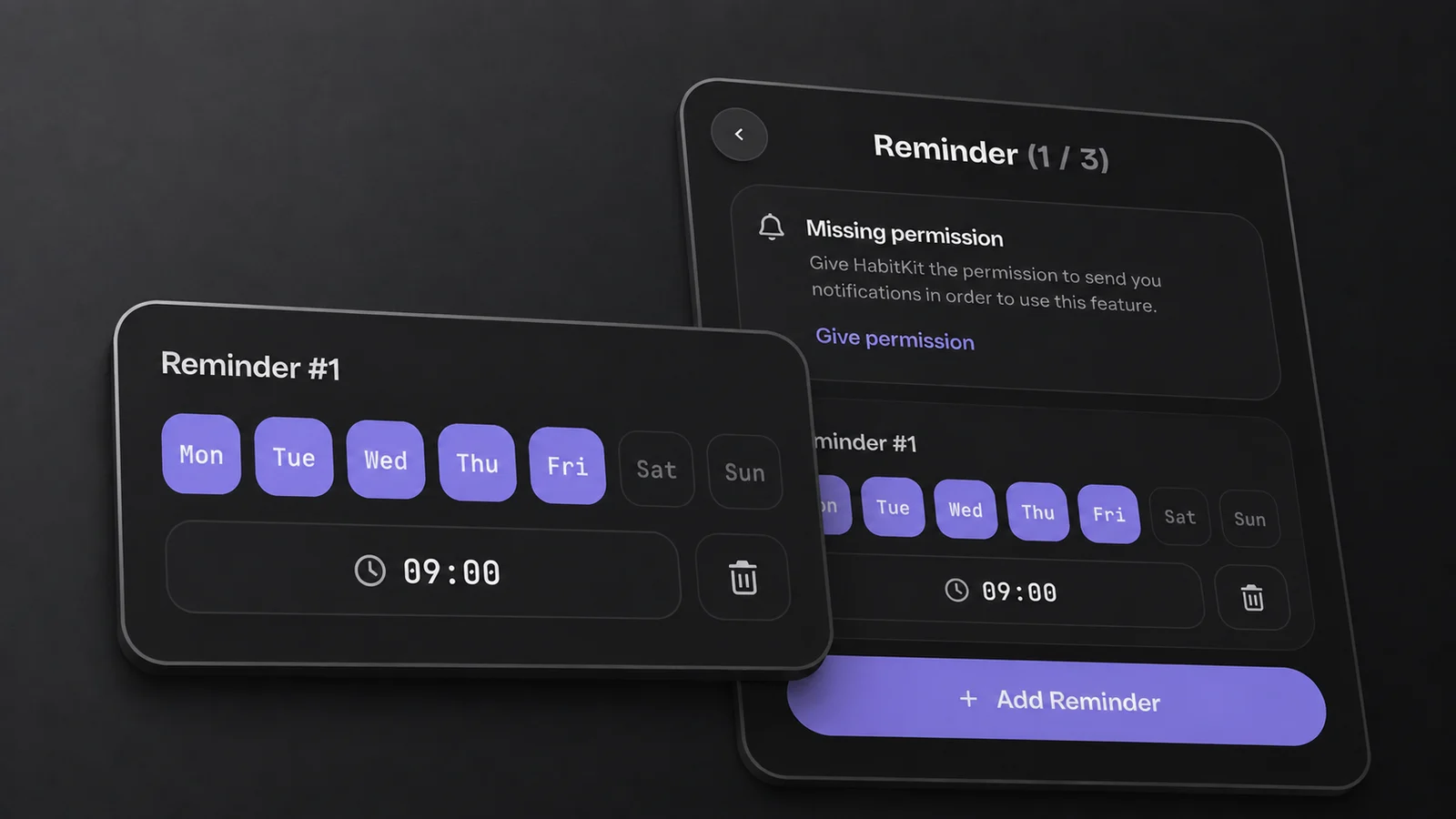
The Missing permission card gives you a direct route to the notification setting on iOS.
Focus modes and the Scheduled Summary can hold reminders back or deliver them in a batch at a set time. Both are iOS features, and both are worth checking if your reminders arrive in clumps rather than not at all.
Then there is a real ceiling. iOS allows an app 64 pending notification requests at a time, and HabitKit does not budget against it. Three reminders on every weekday take up to 21 of those slots for a single habit, and the Daily Check-In Reminders can take up to seven more. Three heavily reminded habits are enough to run out, and some reminders may not be scheduled. This is a current limitation, not a setting you can change. Fewer reminders per habit, or fewer weekdays per reminder, is the only fix today.
One thing that is not a fault: HabitKit reminders on iOS carry no action buttons. They never have. Tap the notification and log the day in the app.
On Android
Android needs two separate permissions, and the second one is easy to miss.
The first is ordinary notification permission. The second is exact alarms, which Android usually lists as "Alarms & reminders" in the app's system settings. HabitKit schedules every reminder as an exact alarm so it can fire at the minute you chose. On recent Android versions this permission is not granted automatically and you may have to switch it on yourself.
Battery optimisation and the power management some phones layer on top can delay or drop exact alarms. If your phone offers a way to exempt an app from battery optimisation, HabitKit is a reasonable candidate.
If reminders stopped after a reboot or update, open HabitKit to rebuild the queue. These instructions describe 1.18.0; if you are using an earlier version, check for an update. Include your version in a support report if the problem continues.
Two smaller Android notes. Opening the app used to clear your entire notification shade; that is also fixed. And a notification that has already been delivered for a reminder you have since deleted will sit in the shade until you swipe it away. Android reminders do carry one action button, Complete on a build habit and I slipped on a quit habit, so you can log the day without opening the app.
Finally, a known rough edge: turning Daily Check-In Reminders off still asks for permission first, and if the request comes back denied the switch silently refuses to move. On Android that request is the exact-alarm one, so if you have denied exact alarms you may not be able to turn the setting off. Granting the permission lets the switch move in both directions.
Time Zones And Daylight Saving
Travelling is handled. When the device time zone changes, HabitKit rebuilds the whole queue the next time you open the app, so an 08:00 reminder stays at 08:00 in the place you are now.
Habit reminders are scheduled for their local calendar date and time. If a reminder appears at the wrong time after travel or a clock change, open HabitKit to rebuild the schedule and check the reminder’s saved time. If the problem continues, send support the selected time, your time zone and the actual arrival time.
If none of this helps, or the app is misbehaving in other ways, HabitKit will not open, or shows an error covers what to send us.
Related Questions
Do Reminders Work If I Never Open The App?
Only for about a week. Reminders are queued seven days ahead and the queue is refilled only while the app is running, so a phone that never opens HabitKit eventually stops getting them.
Why Is There No Button On My iPhone Notification?
HabitKit reminders on iOS have never carried action buttons. Android reminders do, one per notification. Tap an iOS reminder to open the app and log the day there.
Why Does Android Call HabitKit's Notification Category Habitkit_Channel_Name?
It is an untranslated internal name that leaked into the settings screen. It is cosmetic and it is the correct category to leave enabled.