
Choose Which Habits A Widget Shows
By Sebastian Röhl, creator of HabitKit
5 min read Published Updated Instructions for HabitKit 1.18.0
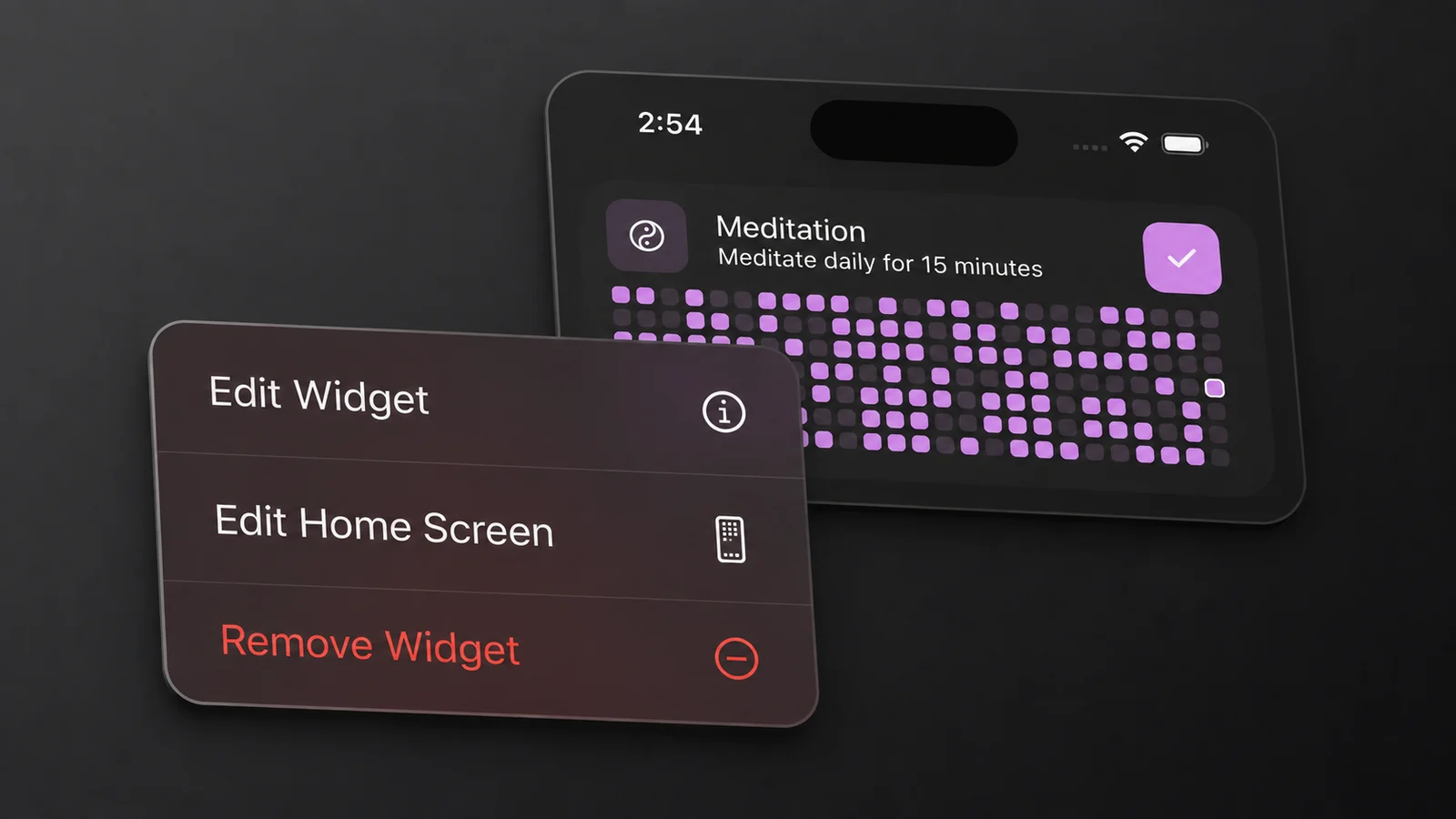
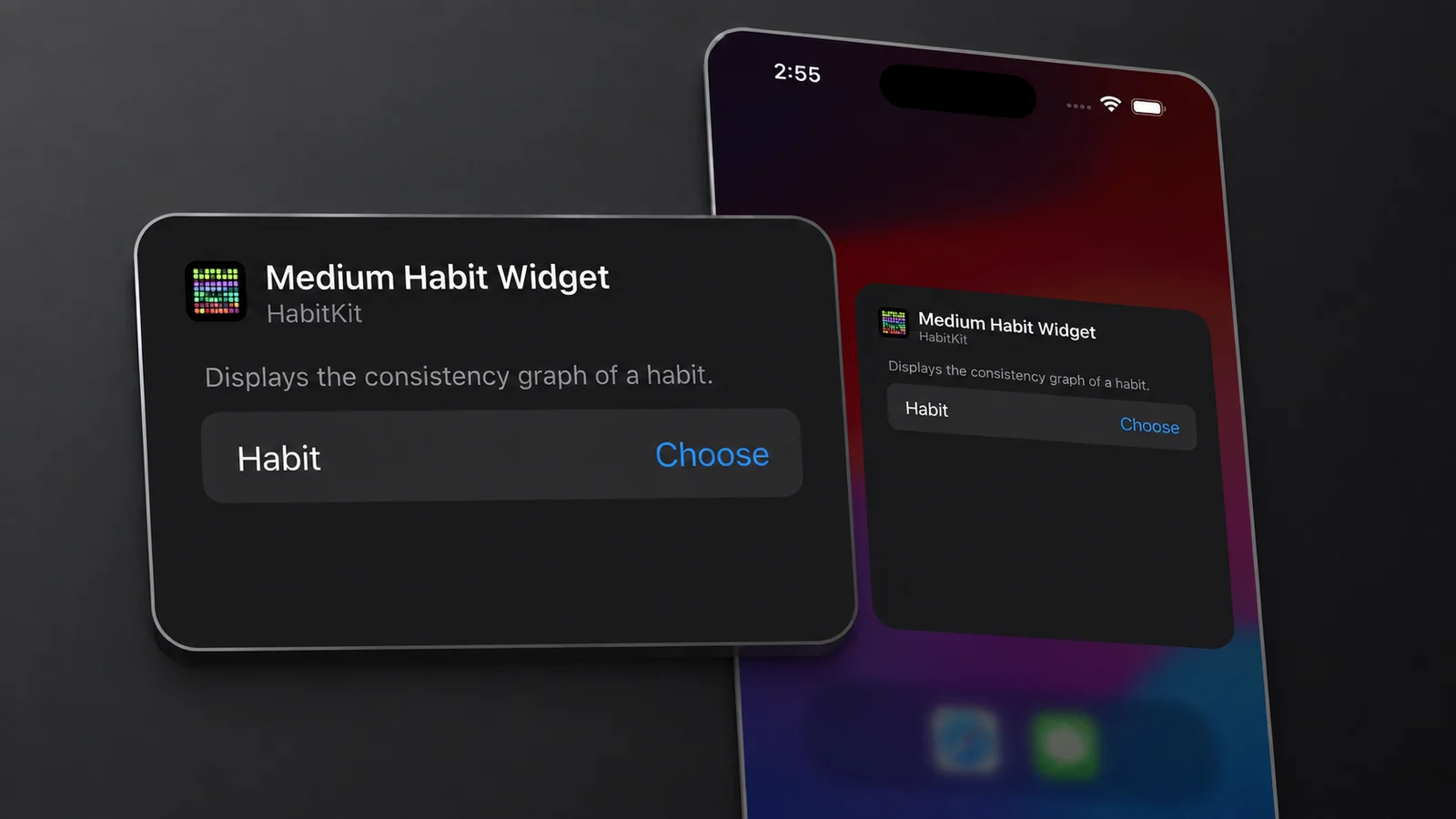
On iOS, long-press the widget, tap Edit Widget, and pick the habit. On Android, choose the habits while you place the widget. To change that selection, remove the widget and add a new one.
Removing a widget does not delete its habits or completions from HabitKit.
On this page
Edit A Widget On iOS
- Long-press the widget until the menu appears, then tap Edit Widget.
- Tap a habit field and choose a habit from the list.
- Tap anywhere outside the sheet to close it.
How many fields you get depends on which widget you added:
- Small Habit Widget and Medium Habit Widget: one field, Habit.
- Compact Habit List: Habit 1, Habit 2 and Habit 3.
- Compact Habit List Large: Habit 1 through Habit 8.
Empty slots are not blank rows. A compact list with only Habit 1 set fills the rest with the next habits in your own order, the order they sit in on the overview, and if you pick the same habit twice the duplicate is dropped rather than shown twice. A single-habit widget with nothing chosen falls back to your first habit. So a widget you never configured is not broken, it is showing you the top of your list.
Archived habits never appear in the picker. If a habit you expected is missing, that is usually why. Automatic backups, and how to restore one covers what archiving does and how to bring a habit back.
Pick Habits On Android
Android asks which habits you want while the widget is being placed, in a full-screen configuration activity. For the Small and Medium Habit Widget that is a single habit. For the Compact Habit List it is a drag-to-reorder list of all your habits, and the order you leave it in decides which ones fill the widget from the top down. Confirm saves it.
To show a different habit later, remove the widget and add another. HabitKit does not provide an Edit Widget option on Android.
Sizes And What Fits
On iOS each widget kind is one fixed size, so a widget cannot be resized. Changing size means adding a different widget: add a habit tracker widget to your home screen lists the four and what each holds.
On Android all three widgets resize, and the Compact Habit List reflows as you do it. Habit rows are however many fit the height, day columns are however many fit the width, down to a minimum of three days. The squares themselves stay inside a fixed size range, so a bigger widget adds rows and columns rather than growing the squares.
Both compact list widgets show icons only, on both platforms. There are no habit names on them. If you need to read the name, use the Small or Medium Habit Widget, which shows one habit with its name, and on medium its description too.
The squares follow the same rules as the grid inside the app, including how a partly-done day is shaded. How the habit grid works covers that.
Widget Theme And Appearance
These app-wide settings affect widgets:
- Settings › Theme › Widget Theme offers System, Light or Dark for the native widgets on iOS and modern Android. Android's older image-based widgets use the app's last-used appearance.
- Settings › General › Highlight Current Day draws an outline around today's square. It is off until you turn it on.
- Settings › General › Week Starts On changes the week layout in the single-habit grids.
There is no separate theme for each widget, or a setting to hide its completion indicator or description.
If the colours look right but the days do not, that is a different problem: widget not updating.
Related Questions
How Do I Change The Habit An Android Widget Shows?
Remove the widget and add a new one. Android only asks which habits you want while the widget is being placed, and HabitKit has no Edit Widget on Android to reopen that screen later.
Why Doesn't My Archived Habit Appear In The Widget Picker?
Archived habits are deliberately left out of everything a widget can see, so they never show up in the iOS habit picker or the Android configuration screen. Restore the habit in the app and it comes back.
Can I Give One Widget A Light Theme And Another Dark?
No. Widget Theme is a shared setting under Settings › Theme, rather than an option for each widget.