No 15 · Story
From Couch To Marathon: Tracking My Training
By Sebastian Röhl, creator of HabitKit
4 min read Published Updated
I used one habit called Sport to record running and strength training during roughly ten months of preparation for my first marathon. The grid helped me see whether I was showing up across weeks, including periods when illness interrupted training.
I am Sebastian, the creator of HabitKit. This is my own training record and experience with the app I build, not a training plan or evidence that using a tracker improves race performance.
On this page

The Goal I Was Preparing For
As I approached my thirtieth birthday, I wanted to do something I had spent years putting off. Much of my twenties had been spent gaming and staying at home. My target was the Westenergie Marathon in Essen, Germany, on 15 October 2023.
I had around ten months to prepare. The question I used HabitKit for was straightforward: had I done a session today? The record gave me a view across the training block instead of leaving me to remember how regular the last few weeks had been.
My HabitKit Setup
I kept running and strength work together in one habit:
- Name: Sport
- Description: Weightlifting, running or similar
- Streak goal: six times per week
- Reminders: Monday to Saturday at 07:00
That was my personal target at the time, not a suggested starting schedule. A single habit meant that either a run or a strength session could fill the day's tile.
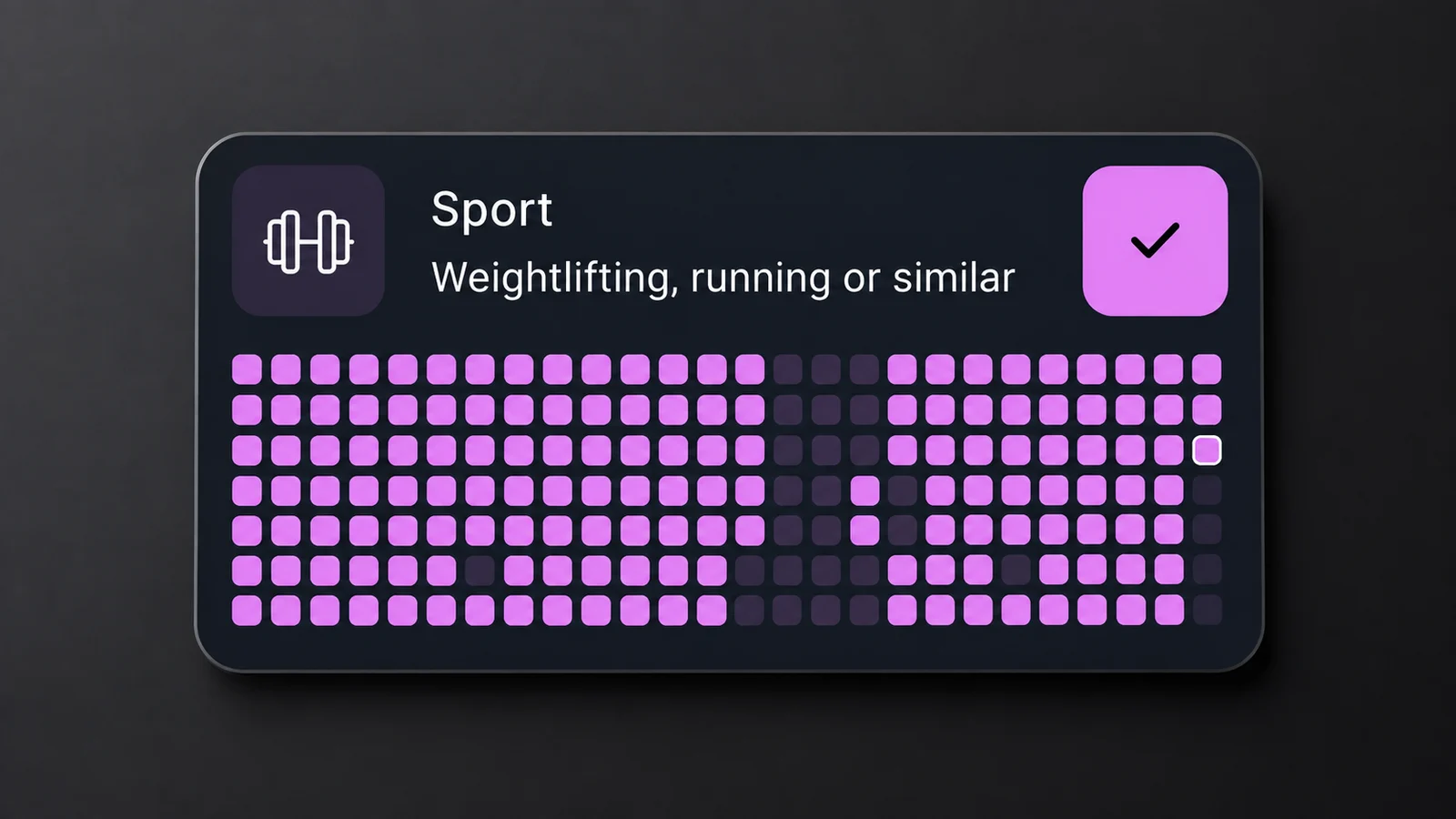
My original Sport record, presented in the site's charcoal layout. A filled day could be running, weightlifting or a similar activity; it does not represent a particular distance or intensity.
What A Training Week Contained
My usual week included an interval run on Monday, a marathon-pace run on Wednesday and a longer run at the weekend. Other sessions included weightlifting and bodyweight training.
I found the growing grid motivating. During weeks when illness slowed me down, seeing the earlier work helped me keep the longer preparation period in view. A gap did not replace the sessions already recorded.
What The Grid Could Not Tell Me
The same filled tile could stand for very different sessions. It could not tell me whether a run was appropriately paced, whether I was recovering well, or whether my training was enough for the race.
Combining activities made the record simple, but it also meant the Sport grid could not answer “How many days did I run?” without more detail. That is the tradeoff to consider when choosing one broad habit or separate habits for different activities.
The useful distinction is between a record of showing up and a plan for what to do. HabitKit gave me the first. Reading streaks alongside a longer history explains why both views matter.
Set Up A Record For Your Own Goal
Choose what you want a filled day to mean before choosing a target. For a reading habit, that might mean reading one page. For an existing exercise routine, it could mean completing the session you had planned.
- Create a Build A Habit and name the action.
- Choose Yes / No if one check-in is enough. Use Count or Measure if quantities would answer a more useful question.
- Set Streak Goal to a schedule that fits your own routine. A weekly target counts successful days, not a named set of weekdays.
- Record what actually happened. Use a day note to explain a change or interruption if that helps you review it later.
These instructions describe HabitKit 1.18.0. The controls have changed since my 2023 preparation; the original Sport record above is retained as it was.
The free tier supports four active habits and day notes. Create your first habit covers the controls, and planning days off explains weekly goals. Choose the record that helps you make a decision, rather than copying my six-day target.