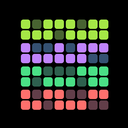
HabitKit 1.4 brought the habit grid to the Android home screen. Widgets had been iPhone only since 1.2; from this release both platforms had them.
Release notes · 1.4
Home screen widgets arrived on Android in small and medium sizes, with the habit chosen at placement and a tap jumping straight to it.
- A small widget joined the medium one on iOS, and both gained appearance settings: light or dark theme, and toggles for the completion indicator and description.
- Reminders were rebuilt to fire when they should, and are rescheduled every time you open the app.
- Completions and streaks stay correct across time zones.
Since then A widget tap opens HabitKit on the overview now, not that habit's own page. The completion button on the widget itself still logs the day in place.
Widgets On Android
Android widgets arrived in small and medium sizes, with the habit chosen when you place the widget. On iPhone a small widget joined the medium one, and both gained appearance settings: light or dark theme, and switches for the completion indicator and the description. Add a HabitKit widget to your home screen covers every size available today.
Reminders Rebuilt
Reminders were rebuilt to fire when they should, and are rescheduled every time you open the app. If one ever arrives late, notifications arrive late or not at all lists the phone settings to check.
Time Zones
Completions and streaks stay correct when you travel across time zones.