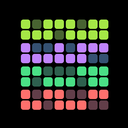
HabitKit 1.15 put several habits on one home screen widget. Instead of one widget per habit, a single compact widget lists your habits and lets you tick each one off right there, without opening the app.
Release notes · 1.15
A compact home screen widget showing several habits at once, each tickable without opening the app. Medium (3 habits) and large (up to 8) on iPhone; one resizable widget on Android.
- Widgets can follow the system theme, or be pinned to light or dark independently of the app.
- A week of automatic daily backups kept on device, with one-tap restore. A failed import can no longer take your existing data with it.
Several Habits, One Widget
On iPhone the multi-habit widget comes in medium, showing three habits, and large, showing up to eight. Android gets one resizable widget that grows to fit. Each row is tickable on its own, so a morning routine can be checked off from the home screen in a few taps. Add a HabitKit widget to your home screen shows how to place one, and choose which habits a widget shows how to fill it.
Light, Dark Or Automatic
Widgets can follow the system theme, or be pinned to light or dark independently of the app, so a dark home screen can keep a dark widget while the app itself stays light.
A Week Of Automatic Backups
HabitKit started keeping a week of automatic daily backups on the device, with one-tap restore, and a failed import can no longer take your existing data with it. Cloud backup to iCloud and Google Drive came later, in 1.18.2 and 1.18.3; backups and recovery covers all of them.