No 14 · Guide
Five Habits For A More Focused Working Week
By Sebastian Röhl, creator of HabitKit
4 min read Published Updated
Notifications, competing tasks and an unclear stopping point can make a working day feel scattered. A few repeatable routines can give it some structure.
Here are five ideas to try, with a way to record each in HabitKit. They are practical suggestions, not a tested programme or a promise of higher productivity. Pick one that addresses a problem in your own week before adding the others.
On this page

Choose One Habit For This Week
If your day starts scattered, try this: after opening your work calendar, spend five minutes choosing the next task and when to do it. Record Daily Planning as Yes / No in HabitKit. Use a weekly streak goal of five if it fits your working week; it counts any five successful days, not named weekdays. Review the record on Friday and adjust the cue if you kept forgetting.
The five ideas below are alternatives you can choose from. You do not need to adopt all of them. The free app supports four active habits; the tracking types used here are free.
For a reminder beside your keyboard, put one action on a weekly paper sheet. Printable habit tracker ideas and how to use them explains how to make a free PDF and choose a useful place for it.
1. Create A Phone-Free Work Session
Choose a task and a short period when you can put your phone out of reach. Keep it in another room if your work allows that, then bring it back when the session ends.
HabitKit tip: Create Phone-Free Work Sessions as a Build habit. Under Tracking, choose Count, then set a manageable Daily Goal. Log each session after it ends. Daily goals and multiple completions explains the controls.
2. Plan The Day's Work
Before starting work, decide which tasks deserve time and put them in your calendar. Leave room for interruptions and adjust the plan when the day changes.
HabitKit tip: Create Daily Planning with Tracking set to Yes / No. Check it off after planning. HabitKit records whether you planned; keep the schedule itself in your calendar.
3. Make Time For Focused Work
Give one demanding task your attention for a period that fits your day. Start with a duration you can repeat, and review whether longer sessions would actually help.
HabitKit tip: Use Count for the number of Focused Work Sessions. If minutes are more useful, choose Measure, enter minutes as the Unit, and set a Daily Goal. Enter the amount you completed afterwards; the habit records the amount you enter rather than timing the session.
4. Set Aside Some Time Offline
Choose a period each week for something you enjoy away from non-essential screens. It could be an afternoon, a walk or a meal. Make the boundary specific enough that you know when you have kept it.
HabitKit tip: Add Time Offline with Tracking set to Yes / No. Set Streak Goal to Week and Completions Per Interval to 1, then check off the day you do it. The weekly target needs one successful day, so the other days do not count as missed daily goals.
5. Review The Week
Set aside a few minutes to look at what worked, what got in the way and one thing to change next week. Use the record to adjust your plan rather than judge the week by its longest streak.
HabitKit tip: Create Weekly Review with Tracking set to Yes / No and a Week streak goal of 1. Check off the review day and save your observations in its day editor. If the note field is hidden, enable Notes in Settings › General. Logging a completion and editing past days covers recording and editing entries.
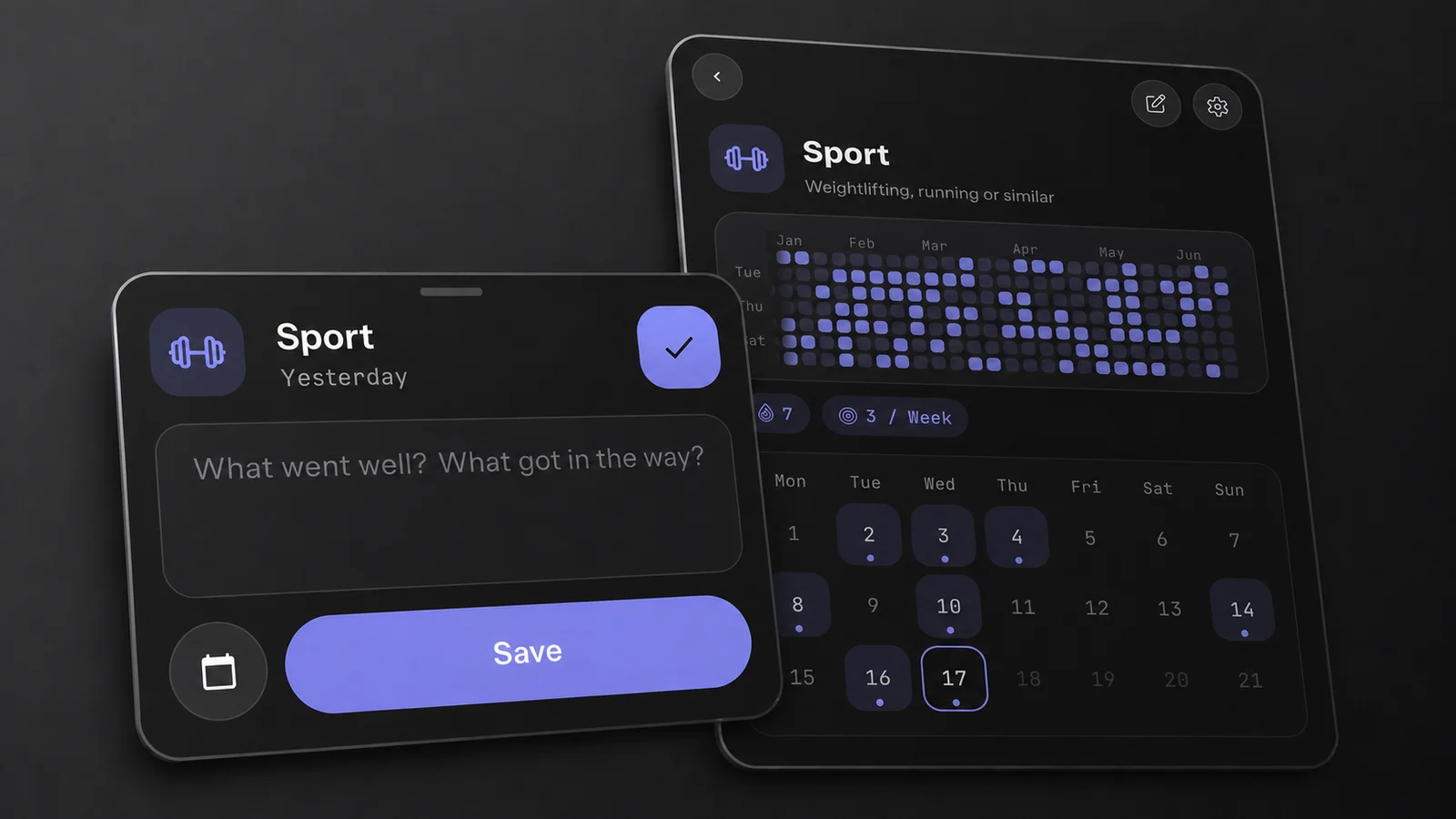
The day editor has a place to record what helped and what got in the way. This demo uses Sport; the same note field works for a review habit.
Try one of these for a week, then decide whether it earned a place in your routine. Start smaller than feels worthwhile has more on choosing a target you can repeat.