No 04 · Guide
18 Printable Habit Tracker Ideas: Free Templates
By Sebastian Röhl, creator of HabitKit
9 min read Published Updated
A printable habit tracker is a paper grid where you mark the days you do an action. Good things to track include reading ten minutes, taking a short walk or clearing your desk. Choose one or two actions you can recognise when they are finished.
Below are 18 habit tracker ideas, three examples of printed sheets in use, and a guide to choosing and printing your template. The free HabitKit printable habit tracker lets you customise six layouts and download a PDF in A4 or US Letter. No account or email address is required.
On this page
18 Habit Tracker Ideas For Everyday Routines
Pick a small version of an action that fits your day. These ideas are a menu to choose from, not a list to complete all at once.
Morning Routine
- Open the curtains after getting up.
- Write today's one priority after breakfast.
- Prepare your bag before leaving home.
Reading And Learning
- Read ten minutes after dinner.
- Review five vocabulary cards after your morning drink.
- Practise one musical exercise after putting away your work.
Movement And Time Outside
- Take a short walk after lunch.
- Step outside during an afternoon break.
- Prepare your shoes or bag for tomorrow's activity.
Work Or Study
- Start one focused work session after sitting at your desk.
- Review your notes after a class or meeting.
- Write down the next step before closing your laptop.
Home
- Clear the desk for five minutes after work.
- Put away one load of laundry after it dries.
- Prepare ingredients for tomorrow's meal after dinner.
Evening Routine
- Put your book beside your chair after clearing the table.
- Write one sentence about the day before bed.
- Set out tomorrow's clothes after brushing your teeth.
Decide what counts before you print. For “read ten minutes”, mark the tile after ten minutes of reading. If you only plan an action on weekdays, set those days in the habit's details so weekends appear with dashed outlines.
If an action keeps slipping, reduce the first version: “Play one exercise after dinner” gives you a clearer starting point than “Practise an instrument”. Starting a small habit you can repeat has more examples.
Choose A Printable Habit Tracker Template
Choose the period you want to see at once and how much space you need to write. A monthly grid works for several short check-ins. A weekly sheet leaves more room around each day. The calendar templates give one habit larger tiles.
| Template | When to choose it |
|---|---|
| Monthly habit tracker | Follow up to eight habits across a calendar month. Landscape, with optional goals, totals and notes. |
| Weekly habit tracker | Try a short first week or plan a changing routine. Up to eight habits, seven dated columns and notes. Landscape. |
| 30-day challenge tracker | Focus on one action from any starting date. Thirty dated tiles, a commitment and a review. Portrait. |
| Printable reading tracker | Keep one reading routine beside your book. A monthly calendar, book or audiobook title, goal and notes. Portrait. |
| No-Spend tracker | Record days against your own spending rules. A month or rolling thirty days, with allowed purchases and a review. Portrait. |
| New Year habit tracker | Turn January intentions into a few actions. An editable monthly grid with goals and a review. Landscape. |
The New Year template makes one month at a time. Use its next-month action to carry your habits into February. The 30-day template is a period to experiment with an action; it does not promise a habit will become automatic in thirty days.
Make Your Free Habit Tracker PDF
- Choose a template and dates. Pick a month, a week containing your chosen date, or a starting date for a challenge. The sheet fills in the calendar dates for you.
- Name the action. Try “Read ten minutes” instead of “Read more”. Add a goal if it helps you decide what counts. Monthly and weekly sheets support up to eight rows, but you can use fewer.
- Add the details that matter. In Habits, the Reading template has a book field, and No-Spend has rules and allowed purchases. Choose Style for the title, light or dark appearance, colours, week start and notes.
- Check the preview and paper size. Choose A4 or US Letter to match your paper. On a phone, open Preview to see the sheet and paper-size controls. Download PDF is also available while editing.
- Download and print. Choose Download PDF for a single-page file. Use Print for your browser's print options, or Download PNG if you want an image.
For a blank habit tracker to fill in by hand, use Blank Sheet beside the habit rows. It clears the habit names and goals. Check the preview for any title, notes or template-specific text you also want to remove.
Put A Monthly Tracker Beside Your Morning Routine
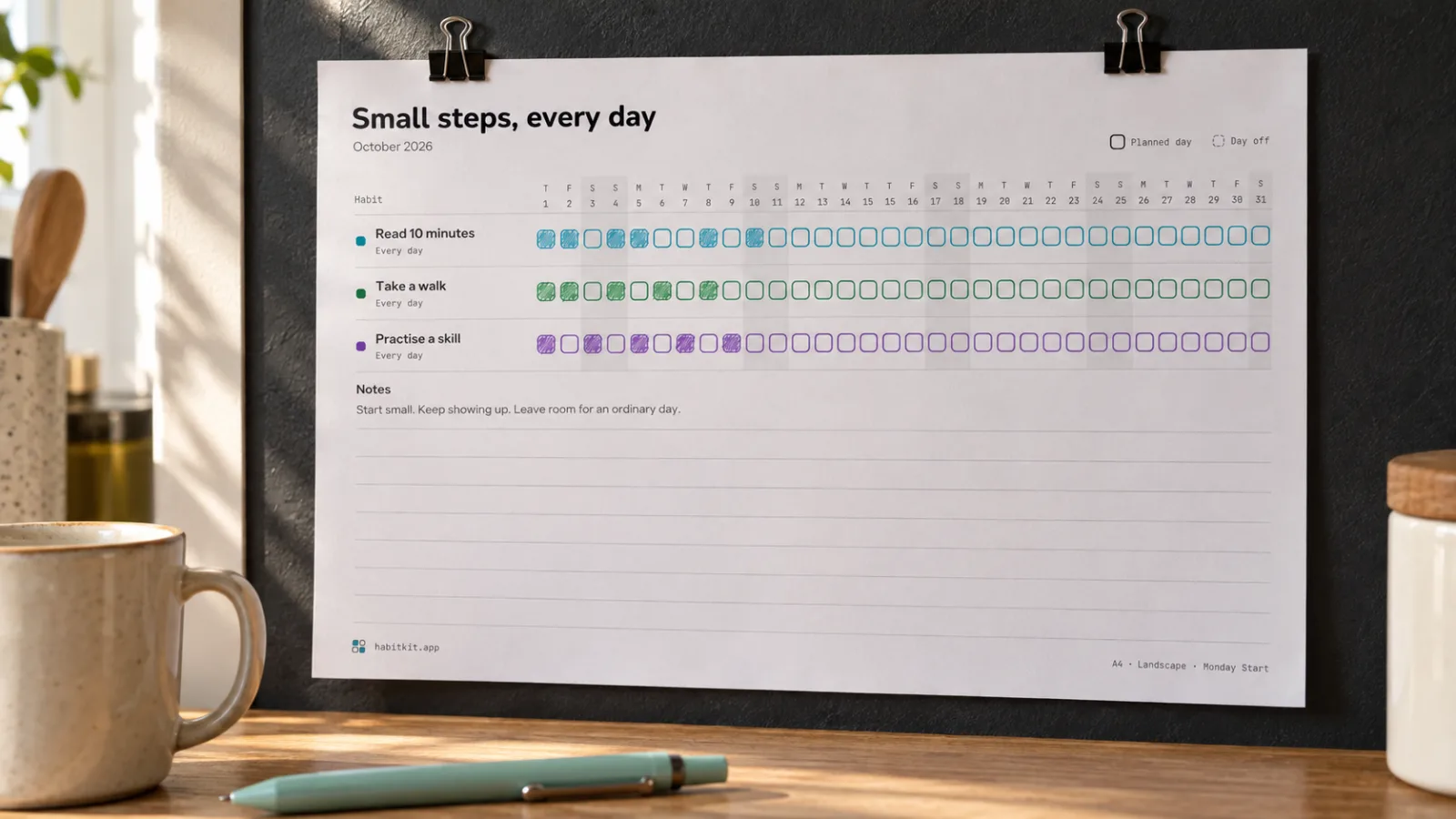
An illustrative kitchen scene using the Monthly template. Habit names and handwritten marks are example entries.
The kitchen sheet has three rows: read ten minutes, take a walk and practise a skill. Each has its own colour, so you can find the right row quickly. Mark a tile after the action, then leave the sheet where you will see it tomorrow.
Choose the location around your actual cue. A sheet by the kettle makes sense if you read while your morning drink cools. If reading happens in the evening, move the reminder to your book. Choosing a cue you will actually notice explains how to make that link specific.
Keep A Reading Tracker With Your Book
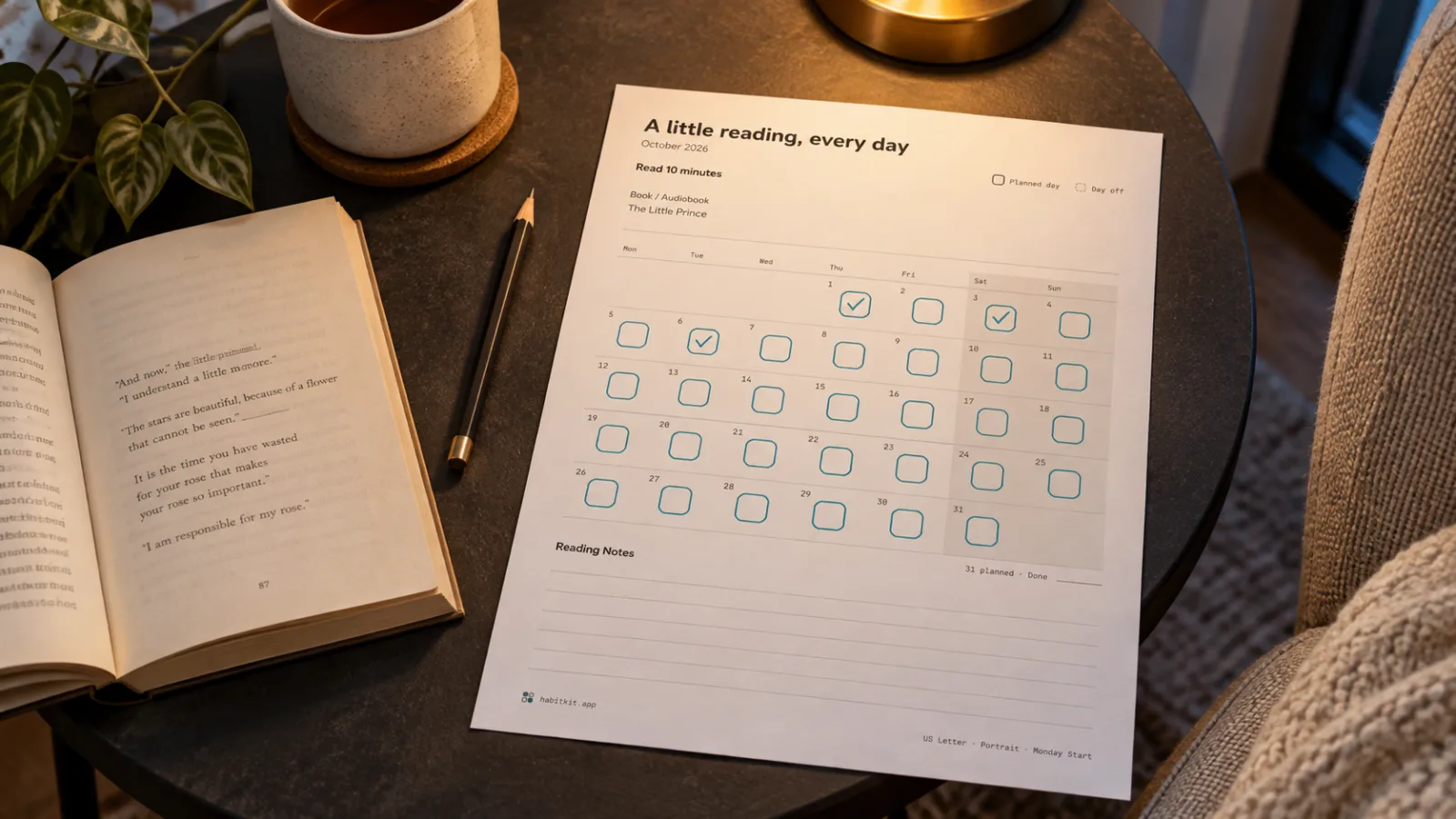
An illustrative reading corner using the Reading template. The book and marked days are examples.
A printable reading tracker can stay inside the book between sessions. Add the title and a goal such as “Ten minutes after dinner”. Use a check mark for a completed session, or write the pages or minutes in the day's tile. Choose one way to mark it so the record stays easy to read.
An audiobook fits too: put its title in the book field and use listening minutes as your goal. The notes area can hold the next book you want to try or a short reflection on the current one.
Set Your No-Spend Rules Before Day One
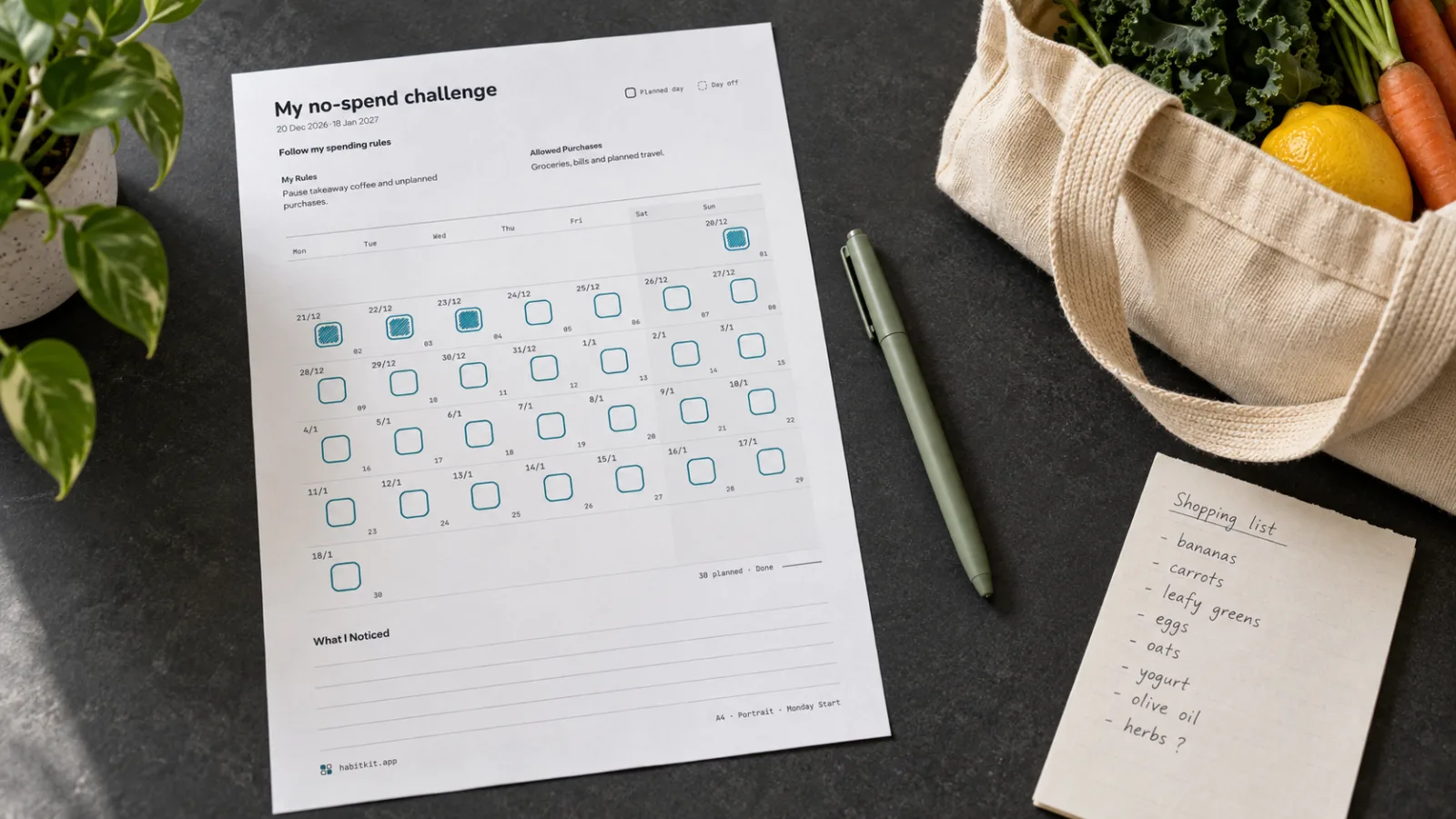
An illustrative planning desk using the No-Spend template. The rules, purchases and marked days are examples.
Make the sheet about a clear personal choice. For example, pause takeaway coffee and unplanned purchases while allowing groceries, bills and planned travel. Keep essentials and existing commitments in your allowed list.
Choose a calendar month or a rolling thirty-day period. Mark days that followed your rules. When a day goes differently, use the notes to record what happened. The sheet records your check-ins; it does not calculate a budget or an amount saved.
Print A Sheet That Is Easy To Use
- Match the paper size. Choose A4 or US Letter in the tool and the same size in your printer's settings.
- Check the scale. Start with 100% or Actual Size and inspect the print preview. The downloaded PDF already includes page margins.
- Save coloured ink. In Style, choose Light and Black And White. Dark outlines on white paper keep the grid usable without colour. Dark gives you white text on a dark background and uses more ink.
- Keep browser extras off. If you use Print, turn off the browser's headers and footers so the URL and page title do not appear around the sheet.
- Leave room for your pen. A weekly sheet has wider day columns than a monthly grid. For one habit, choose a portrait calendar with larger tiles.
Scheduled days off have dashed outlines. A day outside your chosen schedule is different from an empty tile on a day you intended to do the habit.
What To Do After A Missed Day
Leave the tile empty if you did not do the action. Return at the next opportunity and use the notes for anything worth changing: a smaller goal, a different cue or a more useful place for the sheet.
At the end of the week or month, ask what made the action easier and what got in the way. Keep what worked when you make the next sheet. What one missed day does to a habit looks at the research behind returning after a gap.