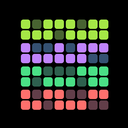
HabitKit 1.10 handed you the layout of the dashboard. With Pro you choose what every habit card shows, from the streak count to the month and weekday labels, and keep the overview as busy or as quiet as you like.
Release notes · 1.10
Choose what your habit cards show (Pro): streak count, streak goal, month labels, weekday labels and category icons.
- The long-press menu on a card gained Edit, Appearance, Share and Archive.
- Categories can be reordered by dragging a chip, or deleted, from the overview.
- Backups now include categories and their habit assignments, so nothing is lost when you move or restore.
Customize Your Habit Cards
Switch on or off the streak count, the streak goal, month labels, weekday labels and category icons. The dashboard display options are part of HabitKit Pro.
More From A Long Press
Long-pressing a habit card gained Edit, Appearance, Share and Archive, so the common actions are one gesture away. Categories could be reordered by dragging a chip, or deleted, straight from the overview.
Categories In Your Backups
Backups started to include categories and which habits belong to them, so nothing is lost when you move phones or restore. Export and import your habit data covers what a backup file holds today.